Inside your team
We join your team to find the work worth changing, build it with you, and prove it holds before it scales.
How an engagement runs
Most begin in Compass, well before anything is built, and move through three stages, each ending with something your team can use. Underneath all three, the record of what you decided and what it changed keeps building, and it stays when we leave.
Three months, and a record that outlasts it
- Learn the work
- Build it with you
- Prove it holds, then scale it
- Keep what it taught youthroughout, and after
Learn how the work really works
We absorb how your team works day to day: the steps, the handoffs, what the work is worth and where it hurts. It all goes onto a map in Compass, with every opportunity scored for impact and feasibility, so you can see what to build first.
Build it with you
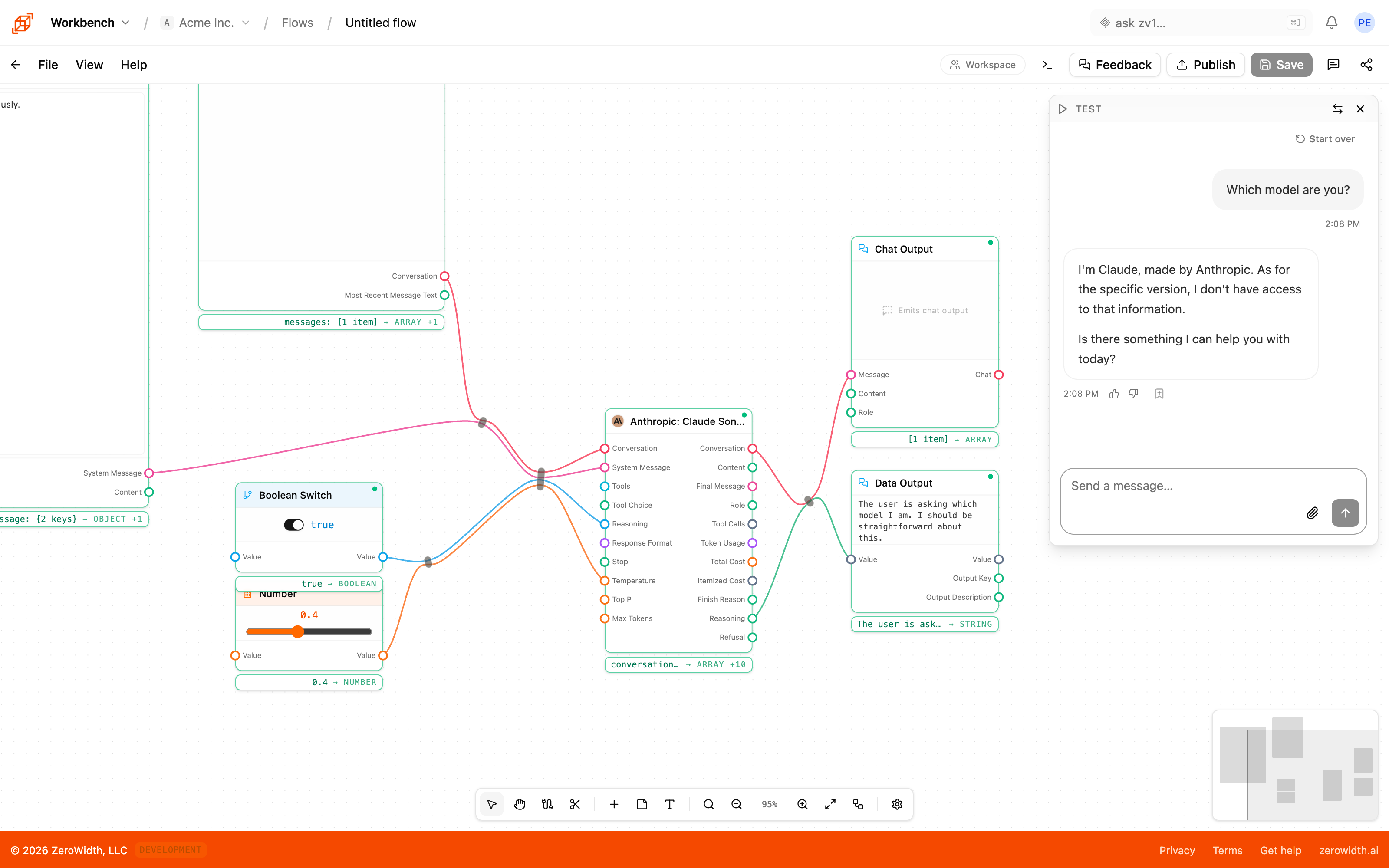
Over about six weeks we build the first workflow with your team in Workbench, with daily check-ins and demos. Your people make changes alongside us, so they know how it works before it ships.
Prove it holds, then scale it
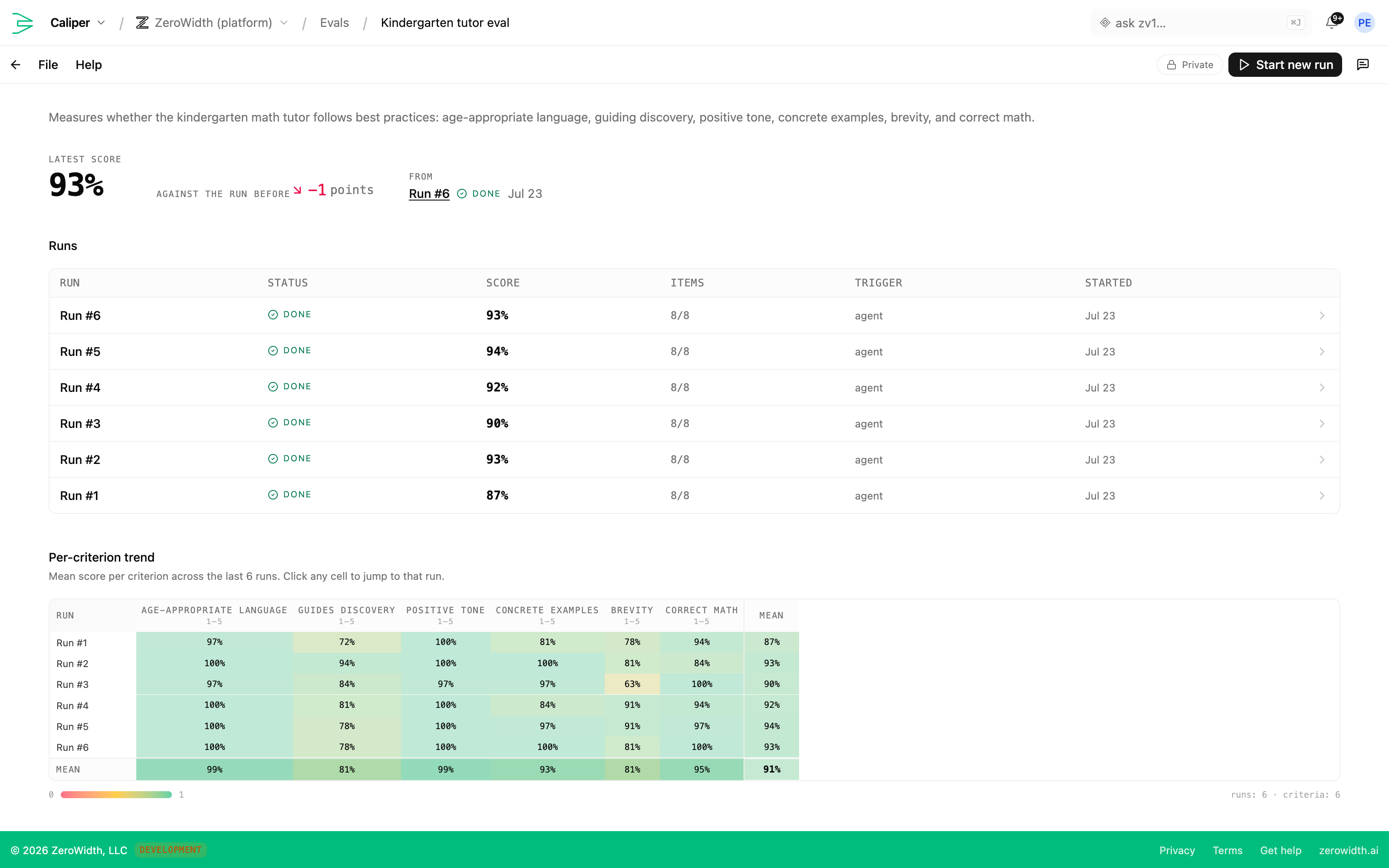
We test the workflow against your real data in Caliper and set the bar it has to clear before it ships. Once it is live, we measure it against the old way of working and extend what holds up.
Keep what it taught you
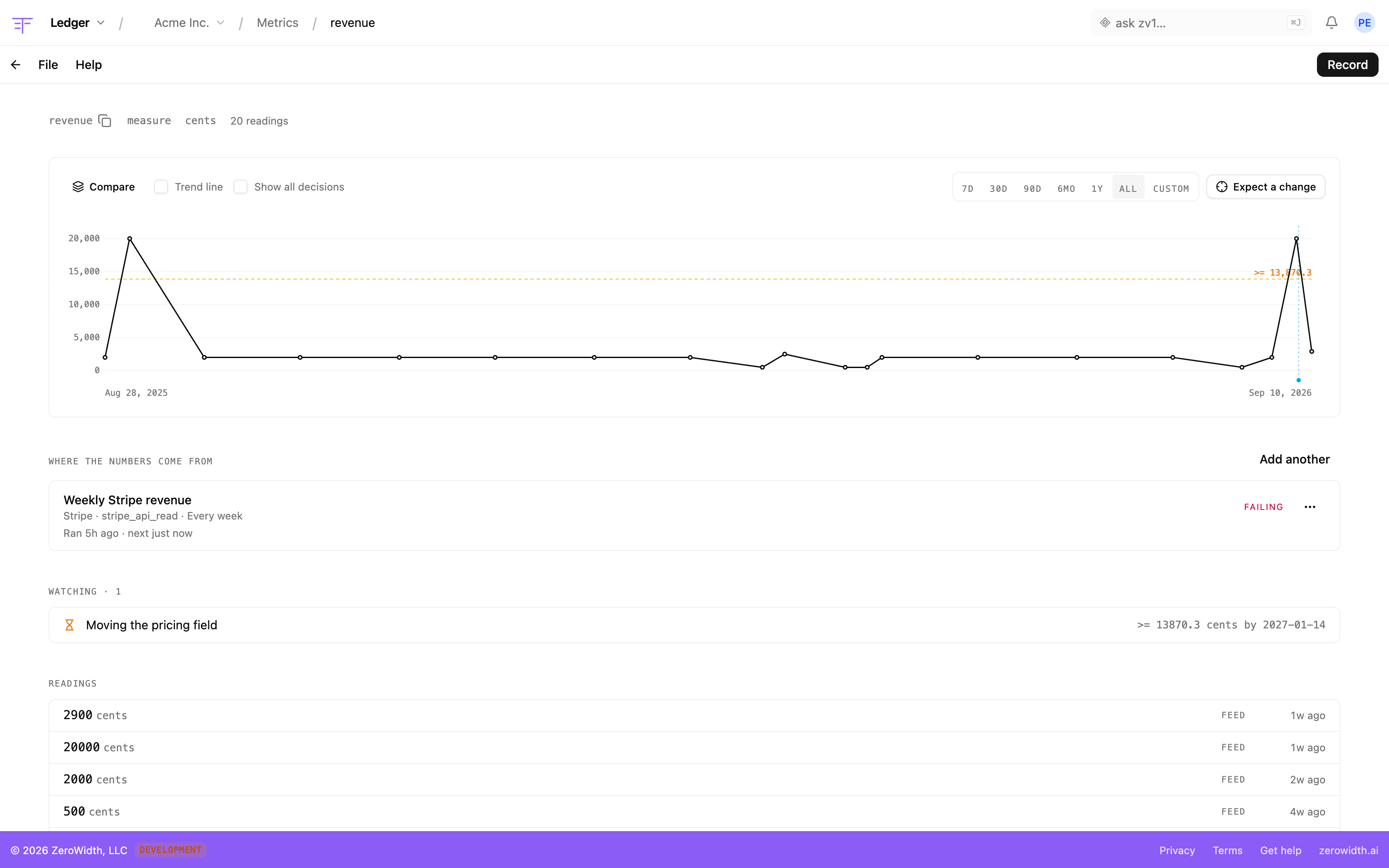
Every call your team makes goes into Ledger with what you expected it to move, and settles against what actually happened. The record stays in your workspace after we leave, so the next piece of work starts from what this one proved.

Material brought us inside to lead a new team that designed its AI platform and developed new insight offerings.
We also gave other teams at Material our tools. They used them to improve their own workflows, and their open-text classification got 85% faster.
Measure what the changes do
Ledger records each decision with what you expect it to move, then reads the numbers from the tools you have connected, so every expectation settles against real data.
























- Stripe
- Amplitude
- HubSpot
- Mixpanel
- Pipedrive
- Attio
- PayPal
- Paddle
- Recurly
- Square
- Ramp
- Brex
- Mercury
- Linear
- GitHub
- Vercel
- Sentry
- New Relic
- PagerDuty
- Cloudflare
- Customer.io
- Braze
- Ahrefs
- Semrush
What stays with your team
A map of your work
The Compass map of your workflows, people and systems, with the opportunities ranked. It lives in your workspace and keeps growing after we leave.
Workflows that run
The workflows we built together, running on your real data, with the tests they have to keep passing.
People who can carry on
Your team knows how to change what we built, and how to find the next piece of work worth changing.
Nothing locked in
A flow exports as a portable file that the SDK runs anywhere, and Ledger exports its whole history as CSV or JSON.
Built to fit how your organization already works
The people responsible for your systems decide what AI may touch, and nothing changes without a person agreeing to it.
Runs on your own infrastructure
The Workbench SDK runs your flows entirely inside your own systems, with your own model keys. Nothing has to pass through ours.
Numbers from anywhere
Any system you run can send readings to Ledger with the SDK or the API, so decisions are measured against your own data.
Contributors don't need an account
People can rate AI output, answer an interview, or give feedback on an agent from a link, without signing up.
Single sign-on
On the Enterprise plan, your team signs in with the identity provider your company already uses.
Choose the models
An Enterprise workspace can limit which model providers its flows are allowed to use.
Nothing changes without approval
zv1 shows the exact edit and waits for a person to approve it. Admins decide how freely it may use each connected tool.
Keys stay in the vault
Keys for services like HubSpot or GitHub live in the workspace vault, not in the flows that use them.
Roles and privacy
Owners, admins and members have different permissions, and work can stay private until it is ready to share.
Changes reach production only when you say so
- Workbench
Every flow keeps its versions
Workbench keeps a version history for every flow, and your code can pin the exact version it runs.
- Caliper
Compare before you ship
Caliper scores a new version against the last run, so you see what got better and what got worse before it goes out.
- Ledger
Decisions keep their history
A settled decision in Ledger is never rewritten. A new decision replaces it, and the old one stays on the record.
Tell us about the work you want to change.
Talk to usOther ways of working with us:
Alongside you
We work with your team a couple of times a week, hands-on with the technical problems and the strategic ones.
With our tools
Your whole team works in the tools we use on our own client work, in one shared workspace.