Chat
Work it out with your teammates and your agents, in one place.
Chat is where your team and your agents work on something together. The people on a piece of work, the agents you've built for it, and zv1 talk it through in one room. When a question needs an answer, you pull it aside and settle it while the room keeps going. What you decide goes into Ledger with what you expect to happen, so your team can check later whether it did.
The pieces Chat gives you.
Work in rooms with your teammates, your agents, and zv1
Pull one question aside and settle it while the room keeps going

Record what you decided in Ledger, with what you expect it to change

Choose who works on a question

Keep a room open to the whole workspace or private to the people in it
Most decisions get made in a chat thread, and by Friday nobody can find them.
Your teammates and your agents, working on the same thing.
Most work is a conversation that ends in a decision, and most tools keep neither. In Chat, the people and agents on a piece of work talk it through in one room. A question that needs an answer gets settled on the side while the room keeps going. Each decision goes into Ledger with what you expect it to change, and when the time comes, the room finds out whether it did.
Everyone on the work, in one room
A room is where one piece of work happens. You bring in the people on it and the agents that help with it: the ones your team has built in Workbench, and zv1. Everyone reads the same conversation, and anyone can ask anyone.
- Agents answer like colleagues
- Mention an agent by name and it replies in the room, where the whole team can read the answer, question it, and build on it.
- zv1 when you want it
- Mention @zv1 and it reads the conversation and the work the room is about, then answers for everyone. If it speaks up without being asked, it tells you why, and you can tell it to do that more or less often.
- The work is right there
- A room shows the docs, sheets, and flows in the folders it's about. Make a new one from the room and it's filed where the room can see it.
- Where things stand, at the top
- A short summary at the top of each room says what's been decided, what's still open, and who needs to act. zv1 keeps it current, and anyone can rewrite it.
Settle one question without stopping the room
When something needs an answer, you pull that one question aside. A few people, a few agents, or both work it out in a sidebar, and the rest of the room carries on. When it's settled, the answer comes back to the room.
- People, agents, or both
- Talk it through with zv1 yourself, or have zv1 and the room's agents take turns and bring back a result. You choose who takes part and how many turns they get, and you can stop them at any point.
- A person makes the call
- zv1 drafts the outcome from what was said. A person reads it, changes what needs changing, and records it under their own name.
- Picked up as you talk
- When people agree on something in the middle of a conversation, zv1 writes it up as a suggested decision. You can record it in one click or wave it away.
- It ends in something you keep
- A decision goes to Ledger. Something the team now understands becomes a page in Compass. Anything smaller stays in the room as a note.
Decisions that get checked
A decision recorded from a room goes into Ledger with what you expect it to change and when you'll know. When that time comes, the room hears about it, so your team finds out whether the decision did what you thought it would.
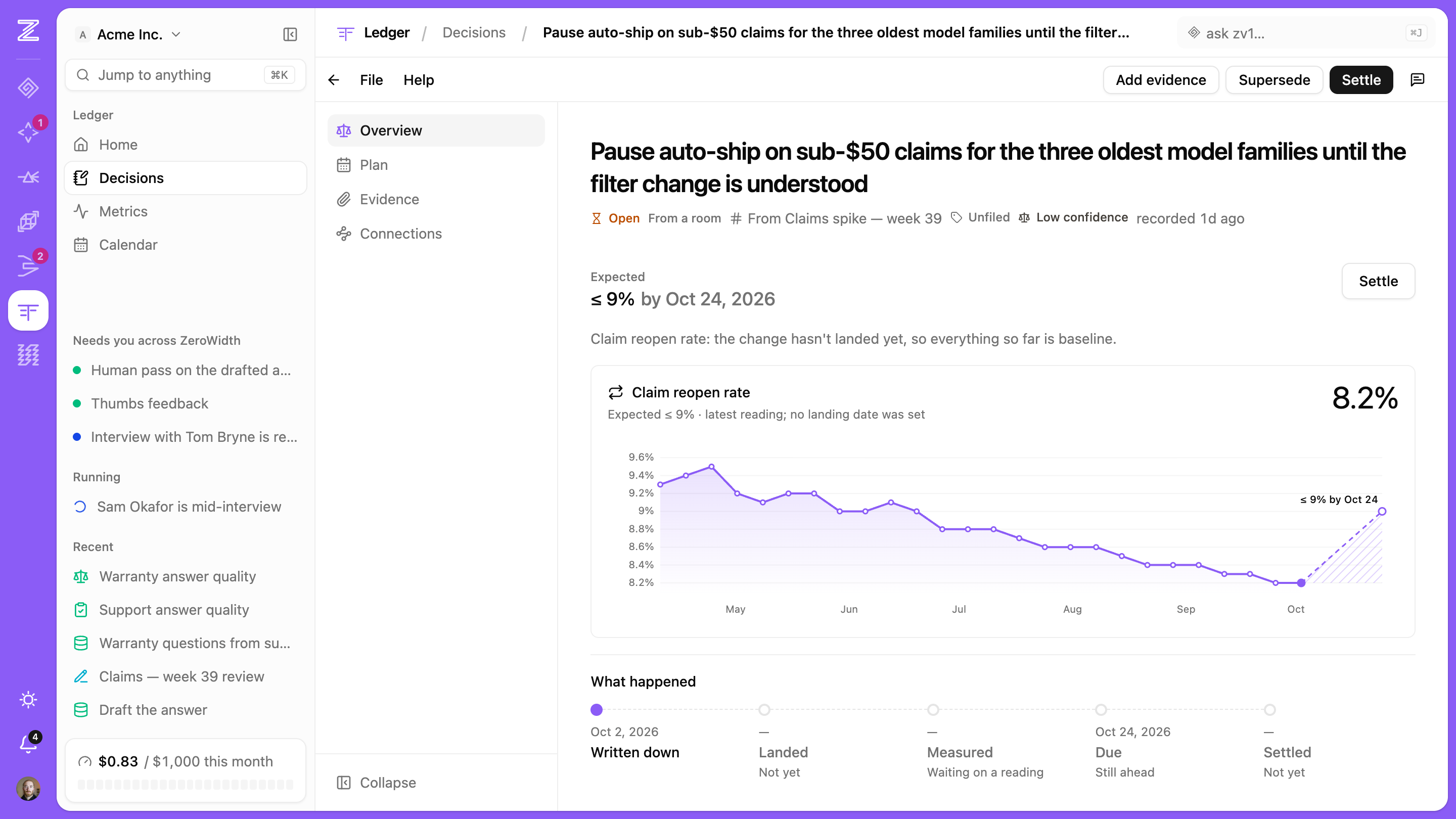
- What you expected, written down
- Each decision carries the result you're counting on, so the team can't quietly change its mind about what success looked like.
- Back in the room when it's due
- When an expected result comes due or gets settled, a card lands in the room that made the decision, where the people who made it will see it.
- Linked both ways
- The decision links back to the conversation it came from, and the room keeps a card for it. A year from now, anyone can see why it was decided.
- Next steps from a decision
- From a recorded decision, ask zv1 to draft the announcement, the follow-through, or a reminder for when to check the result.
zv1, in every room and every tool
zv1 is the assistant that works across all of ZeroWidth. It's in your rooms when you mention it, docked beside every tool when you're working alone, and every conversation you have with it is in one history.
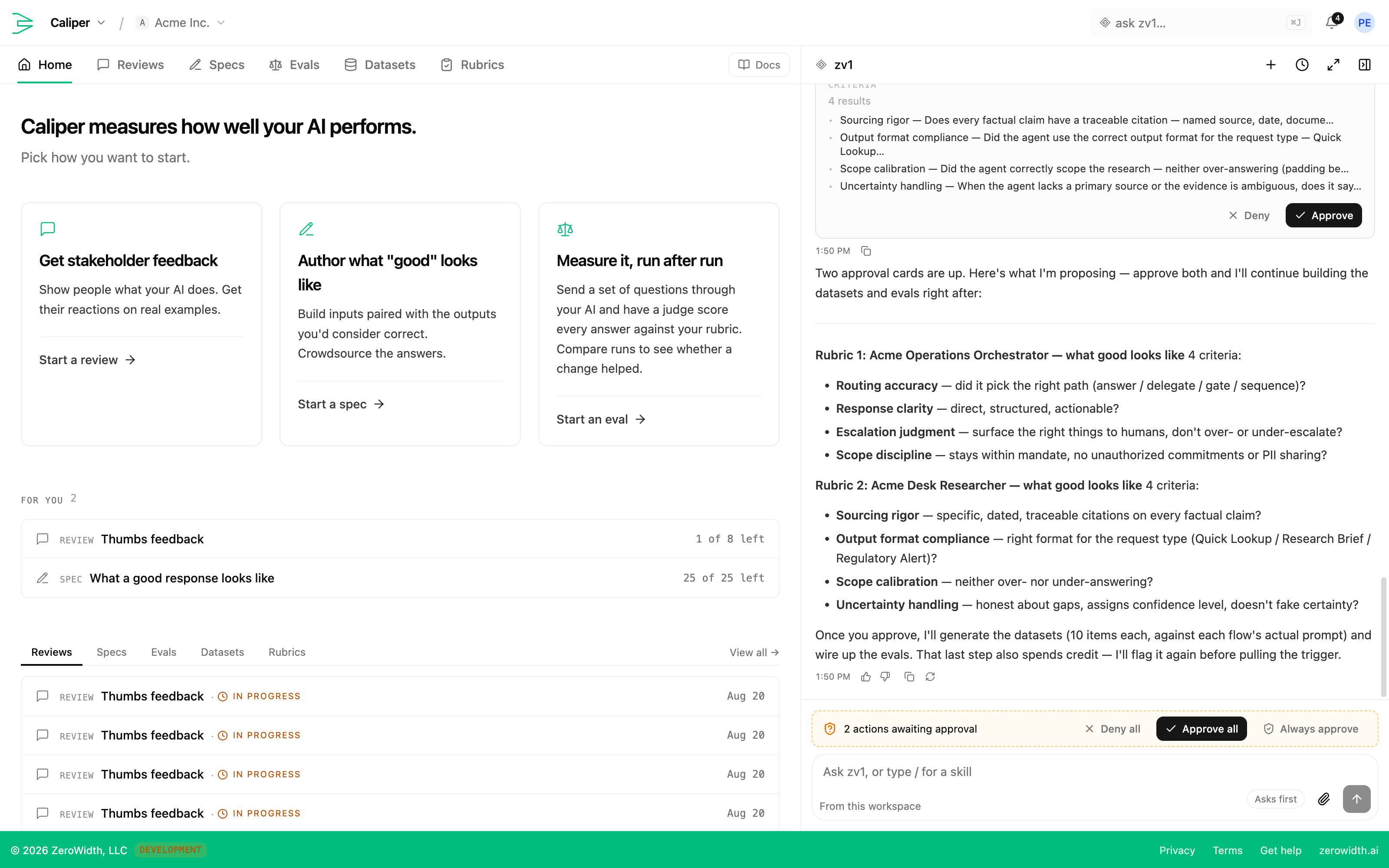
- Docked where you work
- Ask about what's on screen without leaving what you're doing. A board, a doc, or an entry comes back as a card you can open.
- One history
- Come back to a conversation days later, or carry it on by email. When other people need to see it, turn the conversation into a room.
- Acts as the person asking
- zv1 sees what you can see and nothing more, so it can't become a way around the permissions in your other tools. In a room, it only uses what everyone in the workspace can see.
- Changes wait for approval
- Anything that would change something arrives as an approval card first. The worst case is a suggestion you decline.
Set up the way your team works
Every team works a little differently, so the pieces bend. Decide who can see a room, which agents belong in it, what runs on a schedule, and how much zv1 does before it asks.
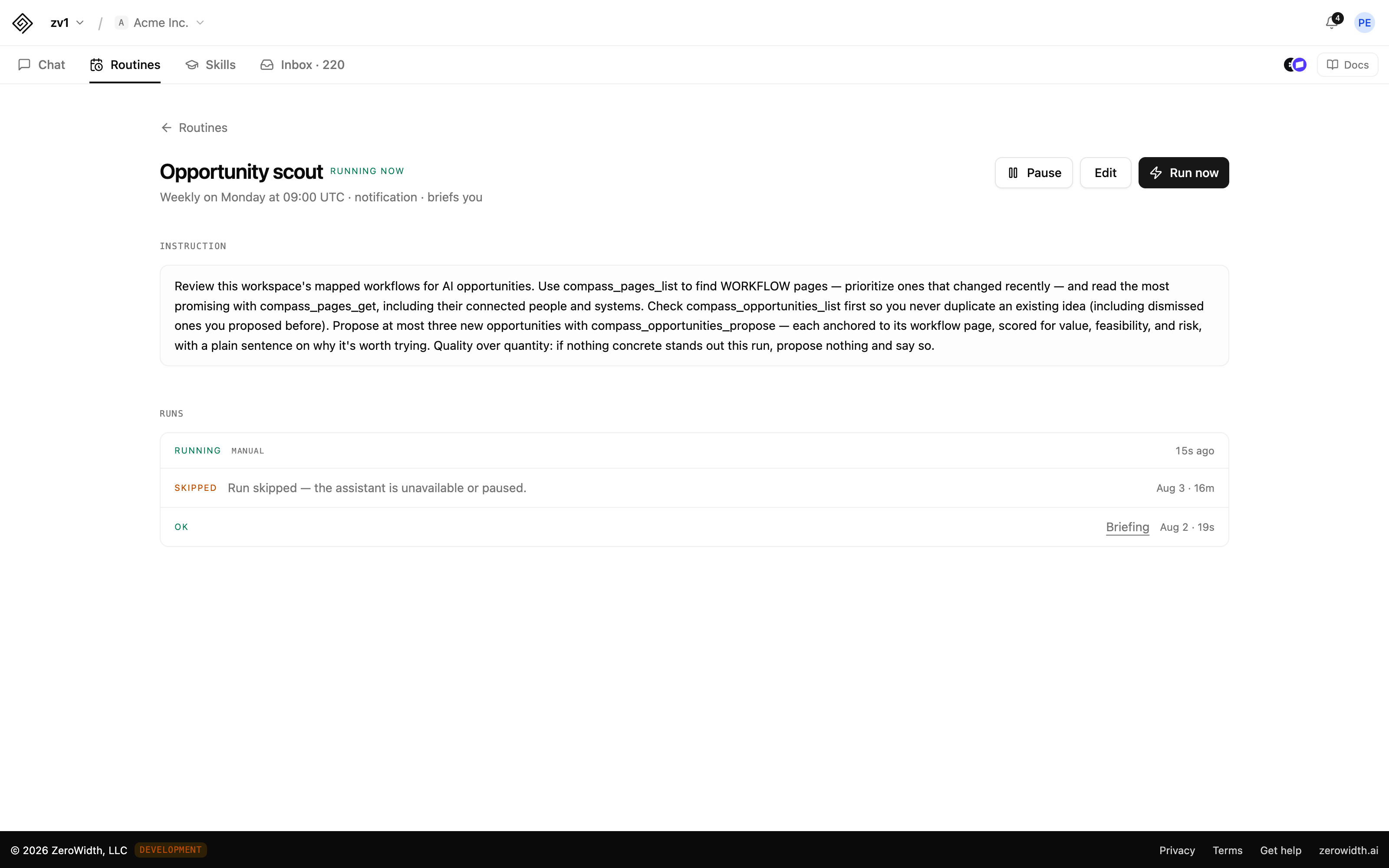
- Open or private
- A room can be open to the whole workspace or private to the people in it. Nobody else can see a private room, workspace owners and admins included, so a reorg or a pricing conversation has somewhere to happen.
- Routines that report to the room
- Give zv1 a standing instruction and a schedule, like a weekly summary of the backlog, and each run's findings land in the room for the team to pick up.
- Started for you
- Tell zv1 what you're working on, such as a process redesign, a research study, or an AI feature, and it sets up the folders and rooms for it, with the first step waiting in the room.
- One place for what needs you
- Your inbox brings together what's blocked on you, what someone has asked you, and what's waiting to be read, across every room you're in.
Connecting your own systems
External tools, on your terms. The controls are per connection, because a system you run and a system somebody else runs deserve different trust.
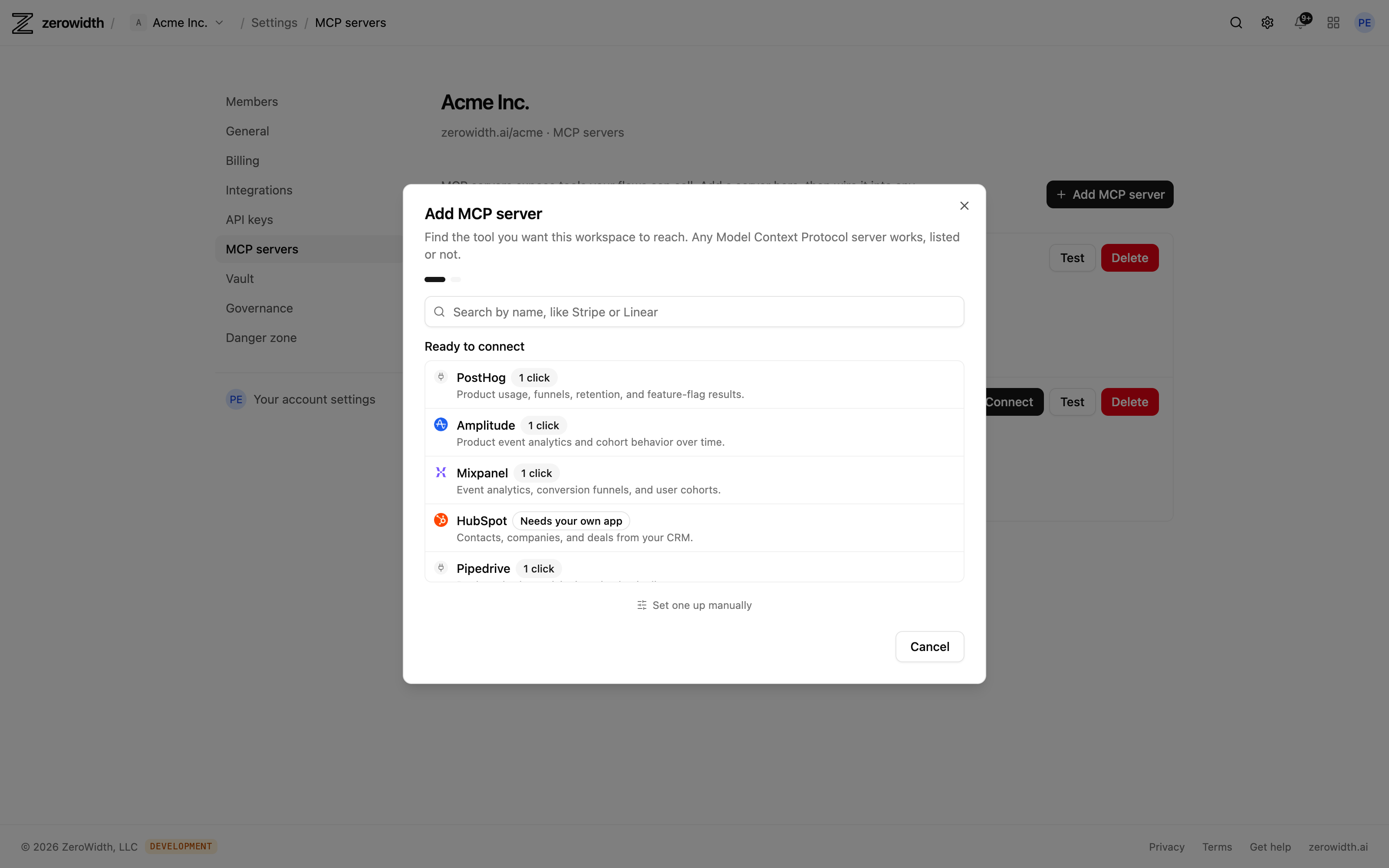
- Policy per connection
- Off, ask every time, or let declared read-only calls through and gate everything else.
- Credentials it never sees
- Secrets are stored encrypted and are write-only after saving — no reveal endpoint — so a key can't come back out through the product or into a prompt.
- Bound to a destination
- A secret can carry a host allowlist, so a misdirected call gets no credential rather than the wrong one.
- Model policy
- A workspace can restrict which models are available to it, with outbound requests checked against an egress guard.
How a piece of work moves from a conversation to a result you can check.
Your team and your agents do the talking in Chat. What they decide goes on the record, and the record comes back to them when it's time to see how it went.
Bring the right people and agents together
Start a room for the piece of work, link the folders it's about, and bring in your teammates and the agents that help with it. Or tell zv1 what you're working on and it will set the room up.
Work it through in the open
Talk in the room, ask an agent, mention @zv1. Everyone reads the same conversation, and the docs and flows the work depends on are one click away.
Pull the hard question aside
When one thing needs an answer, pull it aside so the room can keep going. People, agents, or both work it out, and zv1 drafts what they landed on.
Record the decision and what you expect
A person reads the draft and records it in Ledger under their name, along with the result they expect and when they'll know. The room keeps a card linking to it.
Find out whether it worked
When the result comes due, the room hears about it. Your team sees whether the decision did what it was meant to, and the next conversation starts from what you learned.
Want your team's decisions to outlast the conversation?
Chat and zv1 come with every workspace. Start a room for something you're working on this week and see what it keeps.