Napkin
Sketch it out with your team and get everyone looking at the same thing.
Draw with real ink on a canvas as big as you need, and drop in the actual flows, pages, and decisions you're talking about. Share a link and anyone can draw with you live. Put the frames in order and the board presents as a deck. When a picture isn't settling the argument, describe the screen everyone is picturing differently and get something they can click.
The pieces Napkin gives you.
Sketch an idea with ink, sticky notes, and screenshots

Put the actual flows and pages you're discussing on the board
Turn the thing you're describing into something people can click

Work through the numbers with formulas or a SQL query

Run a live workshop with people outside your company
Present your sketch as a deck without rebuilding it as slides
You work something out on a whiteboard, photograph it before the room turns over, and never open the photo again.
The surfaces a working week actually needs.
Five of them, for the work the rest of the suite has no home for. A canvas, a sheet, a doc, a diagram, and a screen people can click. All live, all shareable without an account.
Boards
An infinite canvas for the thinking that happens before anything is structured. A deck is the same thing as a sketch, with its frames put in order as slides.
- Ink, text, stickies, images
- Freehand ink, text, sticky notes, and images, with the drawing tools where you expect them.
- Reference cards
- Drop something real from your workspace onto the canvas — a flow, a page, a dataset, an eval, a ledger entry, a sheet, another board — and the card stays connected to it rather than restating it.
- Connectors that keep up
- Move a card and the lines to it move with it, so rearranging a diagram doesn't mean redrawing it.
- Present from the canvas
- Frames become slides. Turn on follow-me and a remote room stays on whichever slide you're on.
Sheets
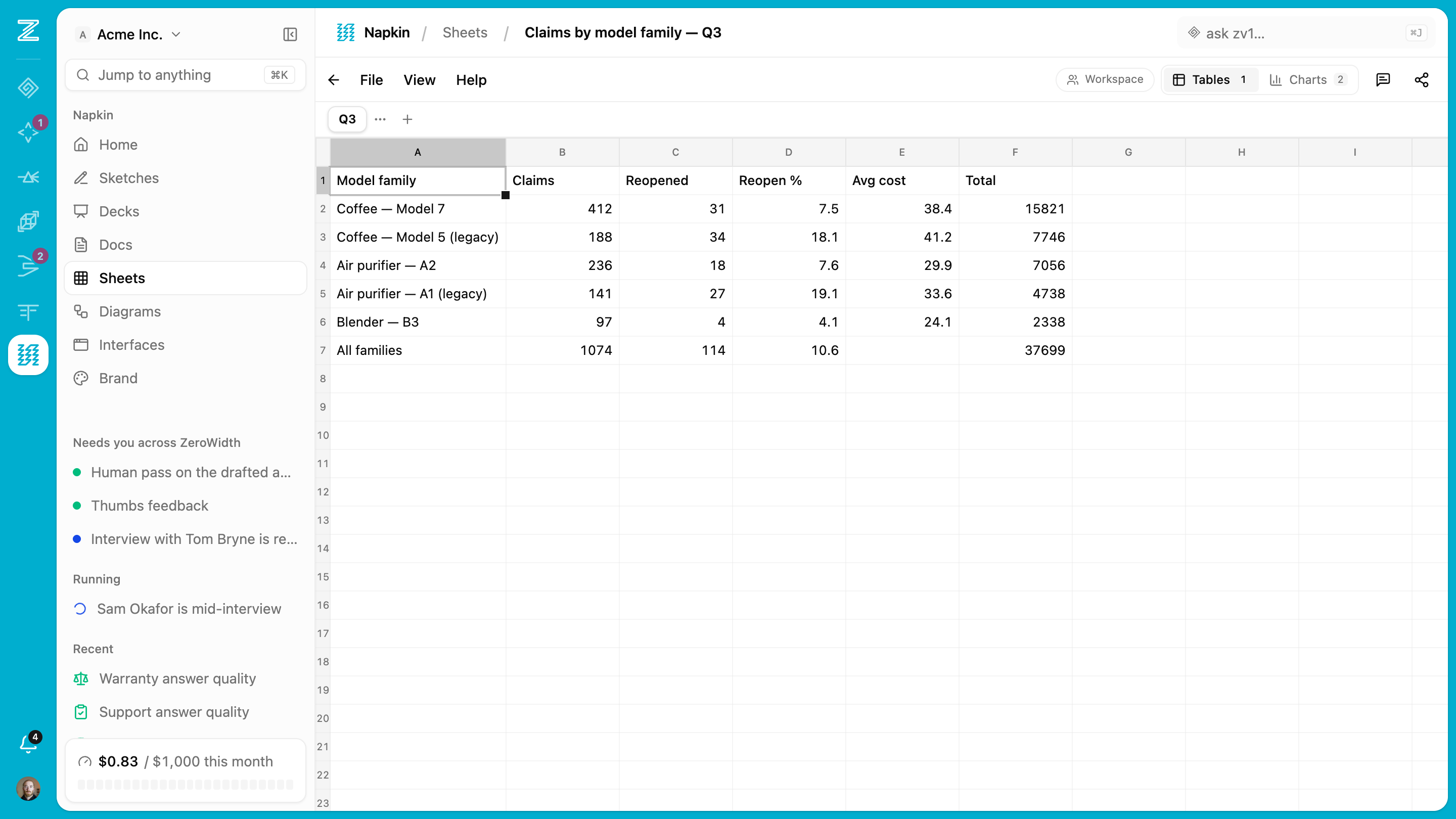
The small-data surface. A grid with formulas, and the same tabs queryable as SQL tables — because some questions are painful in formulas and one line in a query.
- Formulas
- A1 references and ranges, the usual function set, with cycle and divide-by-zero errors surfaced rather than swallowed.
- SQL over your tabs
- Each tab is a table you can query by name. Read the generated schema to see exactly which columns and types came out.
- Charts that re-resolve
- Driven by the live contents rather than a pasted copy, arranged on a grid you can rearrange, and exportable as an image when you need one elsewhere.
- CSV and spreadsheet import
- Bring a file in and start querying it.
Docs and diagrams
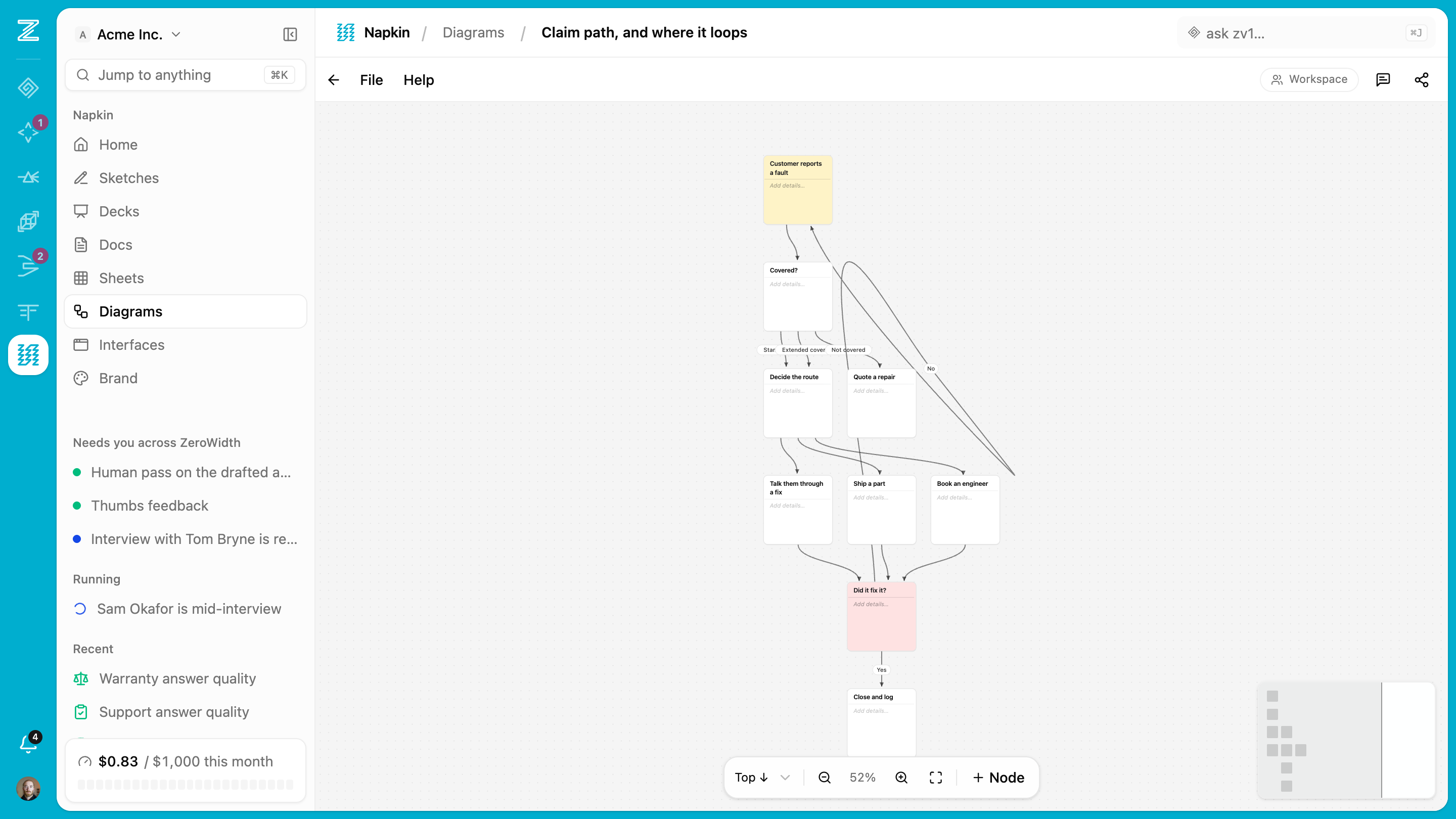
The linear surfaces. Markdown that stays markdown, and a diagram type for the process everybody keeps re-explaining.
- Markdown-true editing
- Edit the source in the block you're in while the rest stays rendered, so what's stored is a document rather than a proprietary tree.
- Diagrams
- A dedicated type for process pictures, kept where the rest of the work is.
- Archive rather than delete
- A shared surface isn't one person's to destroy. Archive it to take it out of the gallery, and bring it back whenever you want it.
Interfaces
For the point in a conversation where a drawing stops helping. Describe the screen everyone is picturing differently and get something they can click, so the next ten minutes are about the real thing. Small in-house helpers live here too — the lookup or calculator your team keeps rebuilding in a spreadsheet.
- Describe it, then change your mind
- Say what you want and it's there. Adjust it in words, or open the editor beside it and change the code yourself.
- Wired to the real thing
- Point it at a flow you've already built, so people are reacting to real output instead of placeholder text. It stays on the version you picked.
- Hand someone the link
- Share it and they try it without an account, which is usually the fastest way to find out what you got wrong.
- Where Workbench takes over
- This is for showing people what you mean and for the small tools a team runs on. When something is worth depending on, Workbench is where it gets built properly.
Blank page to shared picture.
Draw it, share it, wire in the real work, and show it rather than describe it. The same handful of moves whether you're alone with an idea or in a room full of people.
Start on whichever surface fits
A board when you're drawing, a sheet when you're working through numbers, a doc when it's words, a diagram when it's a process. They all start blank and immediate, like a napkin.
Think with the pen
Pressure-aware ink, shapes, arrows, text, sticky notes, pasted screenshots. The tools stay out of the way; the drawing history stays complete.
Share the link
Anyone with the link draws with you live: cursors, names, no account required. Members get the full board; guests get exactly what you granted.
Wire in the real things
Drop the actual flow, page, eval, or decision onto the canvas as a live card. Connect them with arrows that stay connected as you rearrange, so the diagram stays accurate.
Show it
Put the frames in order and the board becomes slides, so the thing you sketched in the room is the thing you show afterwards. Turn on follow-me and everyone stays on the slide you're on.
Make it clickable when words aren't landing
Some things can't be settled by looking at a picture of them. Describe the screen and get one people can actually use, wired to the flows you already built, with a link for whoever needs to react to it.
Got something to sketch out?
The fastest way to explain a system is still a drawing. Here the drawing is shared, live, and wired to the real work behind it. When a drawing isn't enough, you can put the thing itself in front of people without leaving the page. Part of every ZeroWidth workspace.