Caliper
Turn “does it work?” into a hard number you can ship against.
Turn “does it work?” into a number your team can argue with. Collect the cases that matter, write the rubric everyone agrees on, and send the work to the people whose judgment counts, inside your company or outside it.
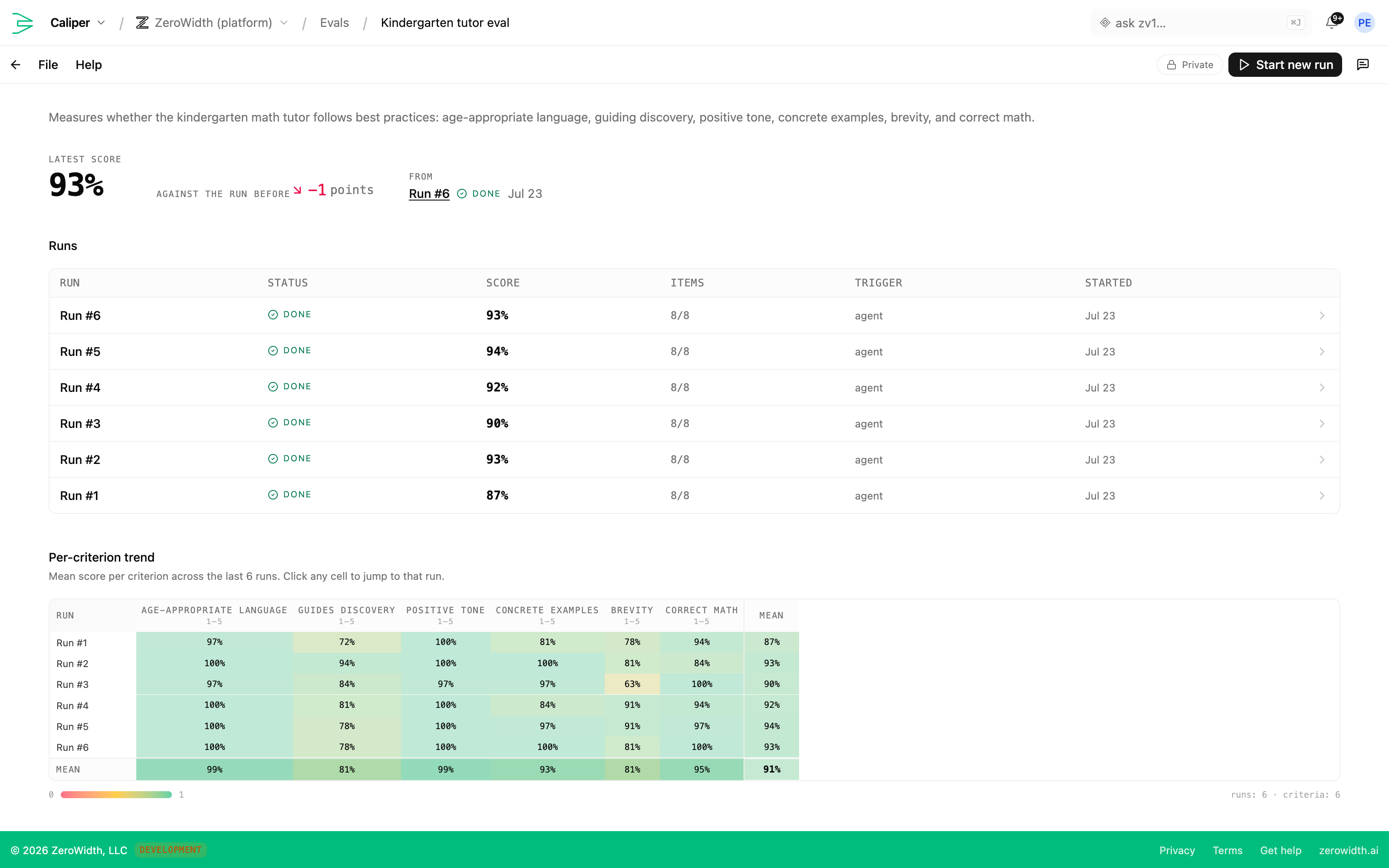
The pieces Caliper gives you.
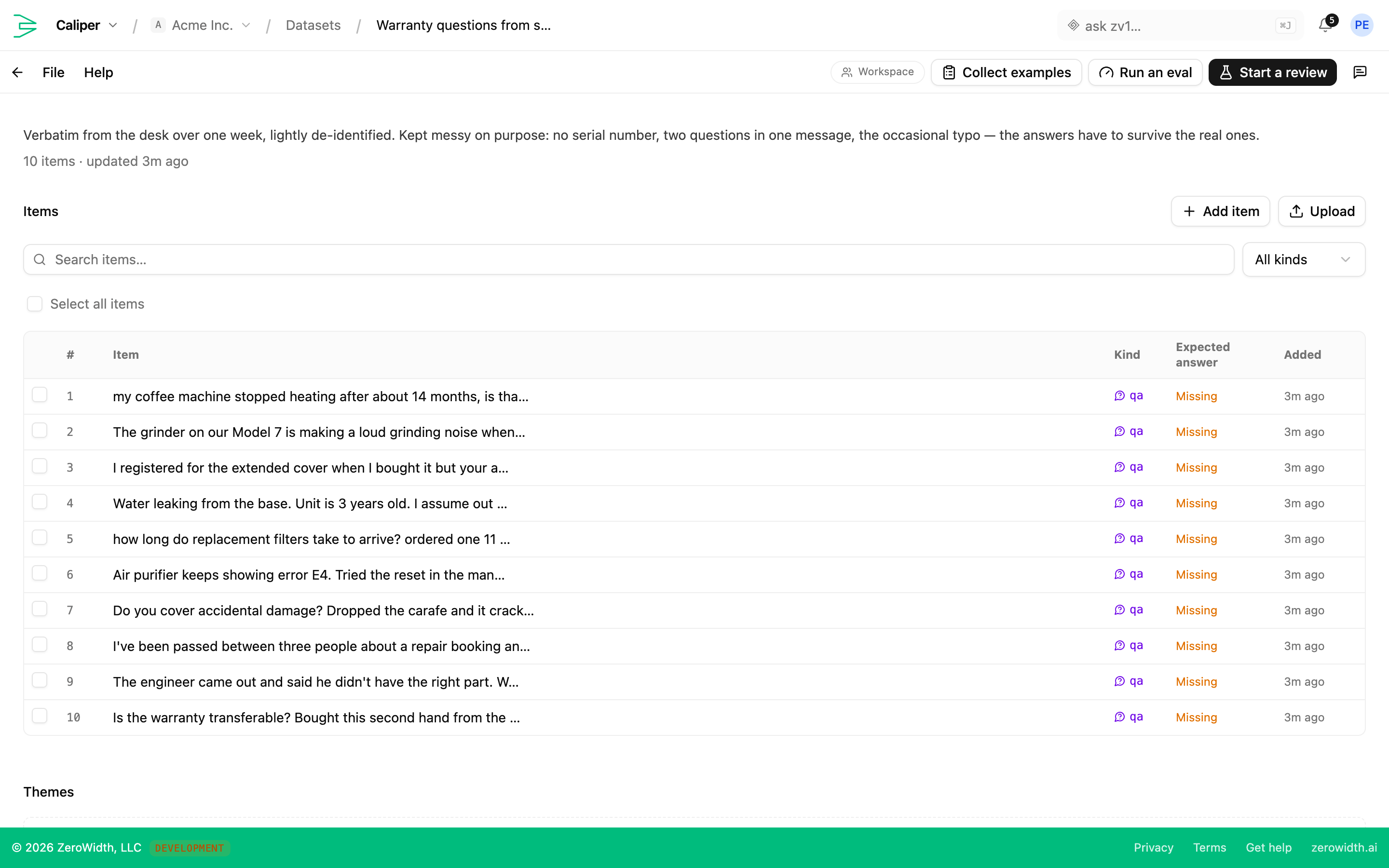
Collect the cases your AI has to get right, including whole conversations
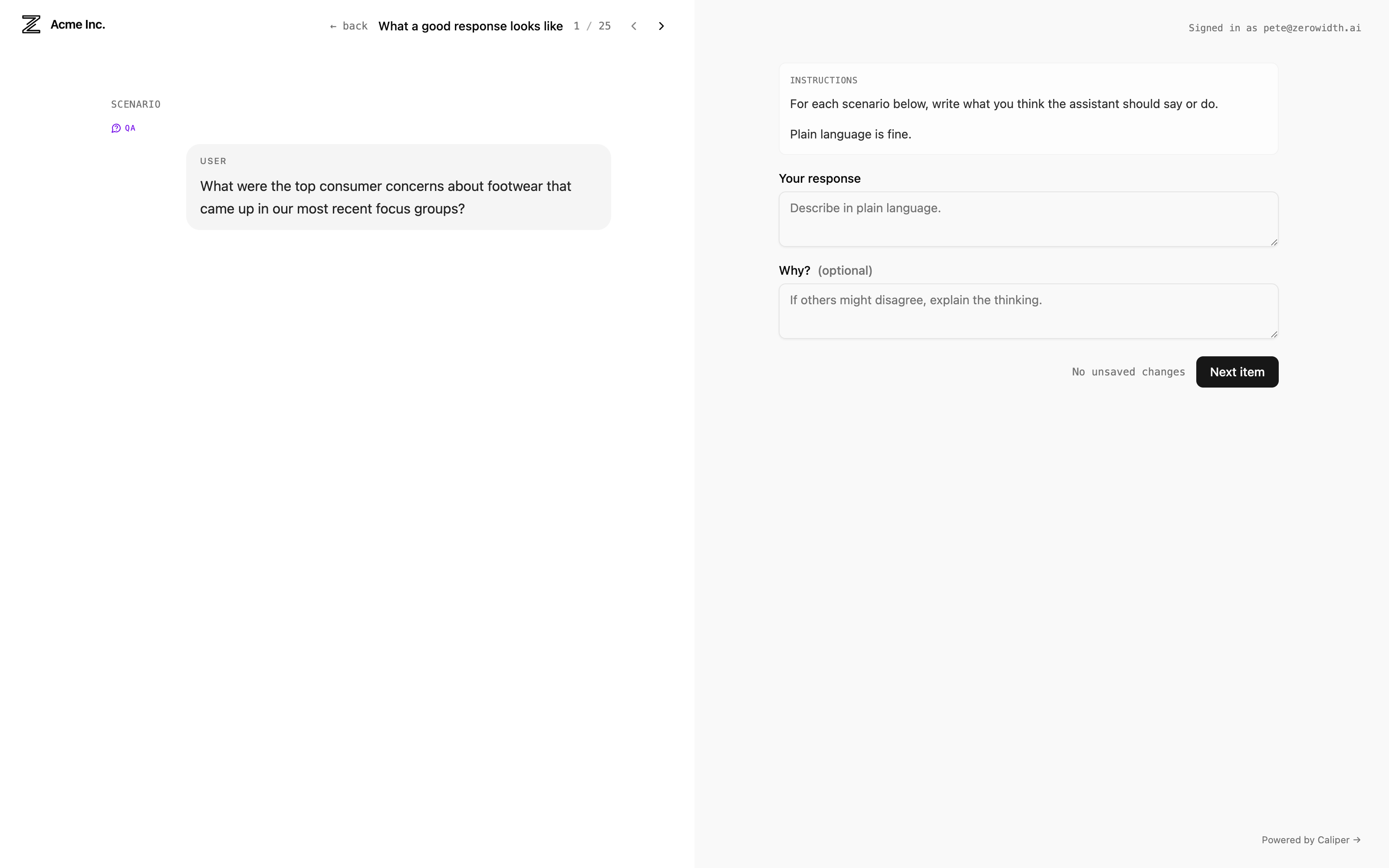
Agree as a team on what a good answer looks like
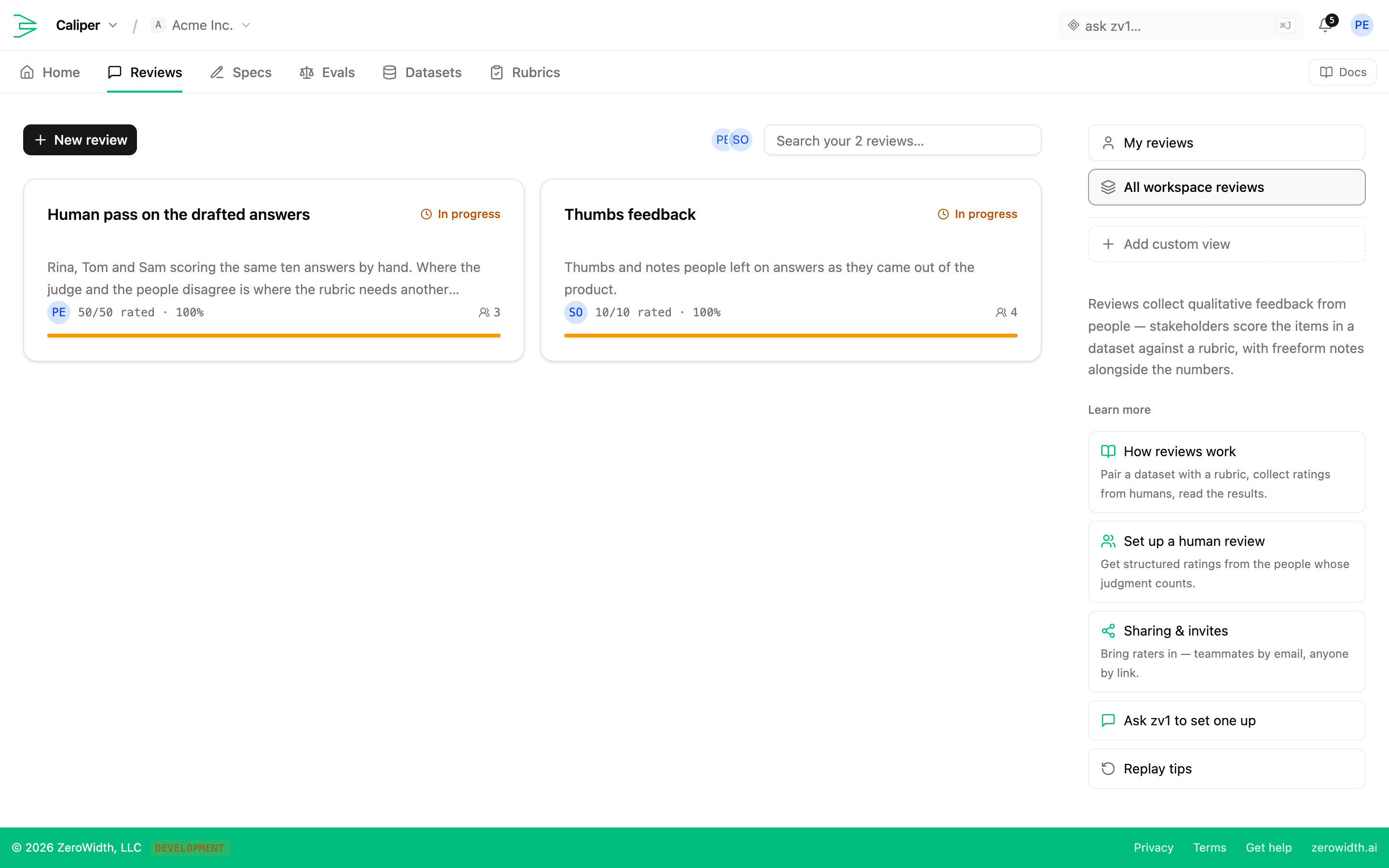
Get experts outside your company to score the answers
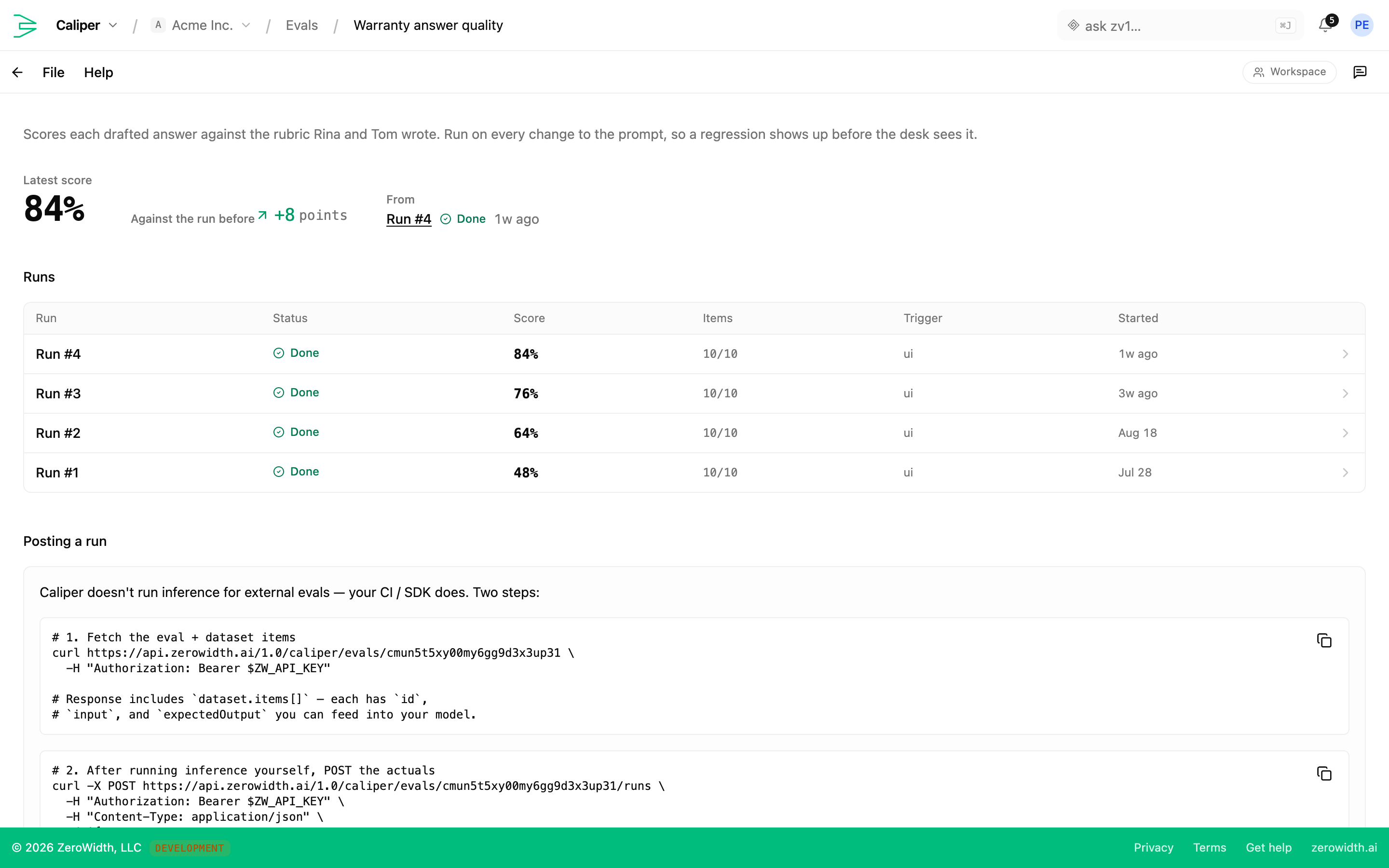
Know whether a change made things better or worse before you ship it
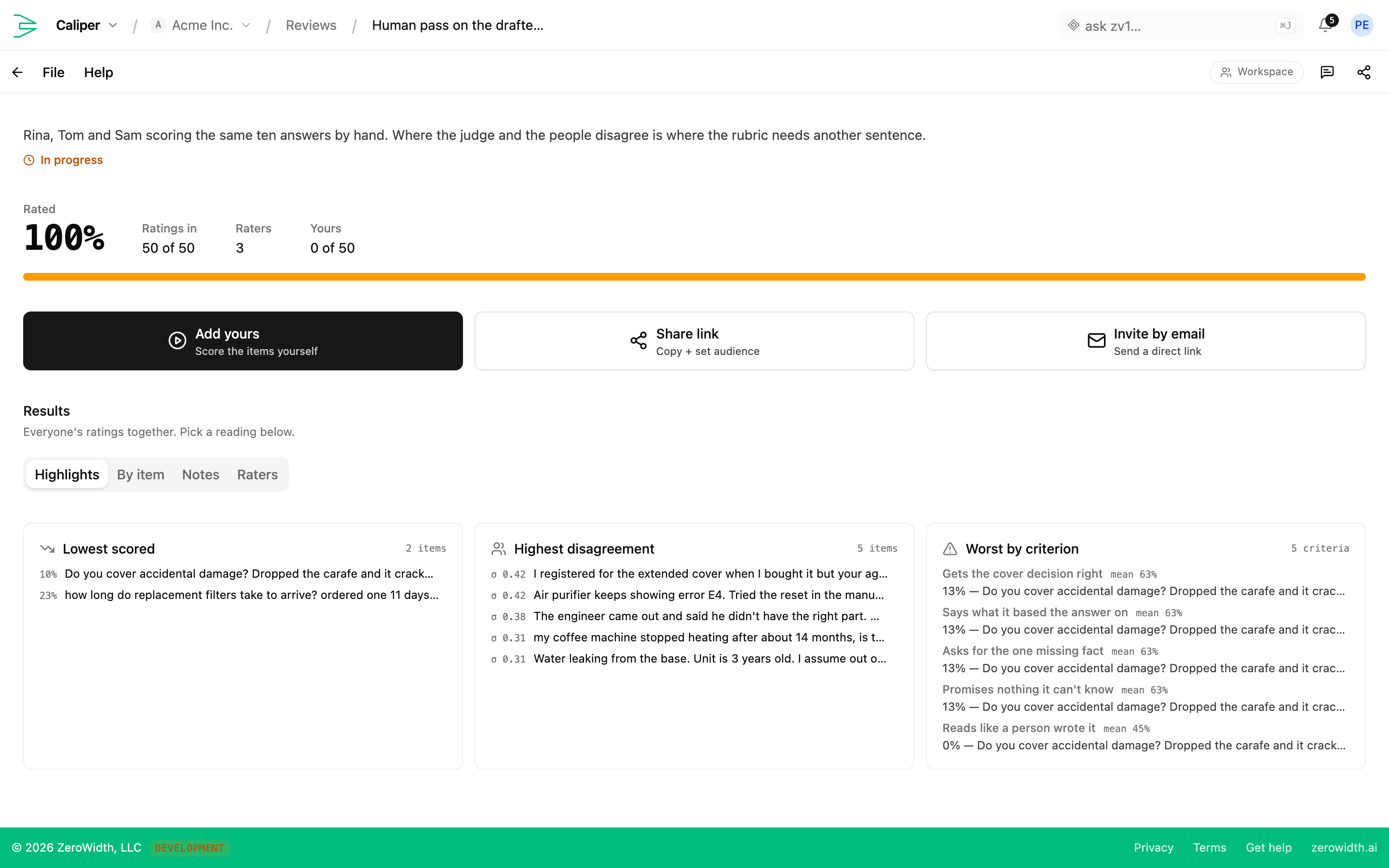
Find the answers that score lowest and where your raters disagree
Most teams find out that a prompt change made things worse from a customer, weeks after they shipped it.
Datasets, rubrics, reviews, runs.
Four surfaces. Put the cases in a dataset, the standard in a rubric, bring people in through a review, and get a number out of a run.
Datasets
The frozen set of cases everything else measures against. You can put more than question-and-answer pairs in one, because a chat feature's failures don't live in single messages.
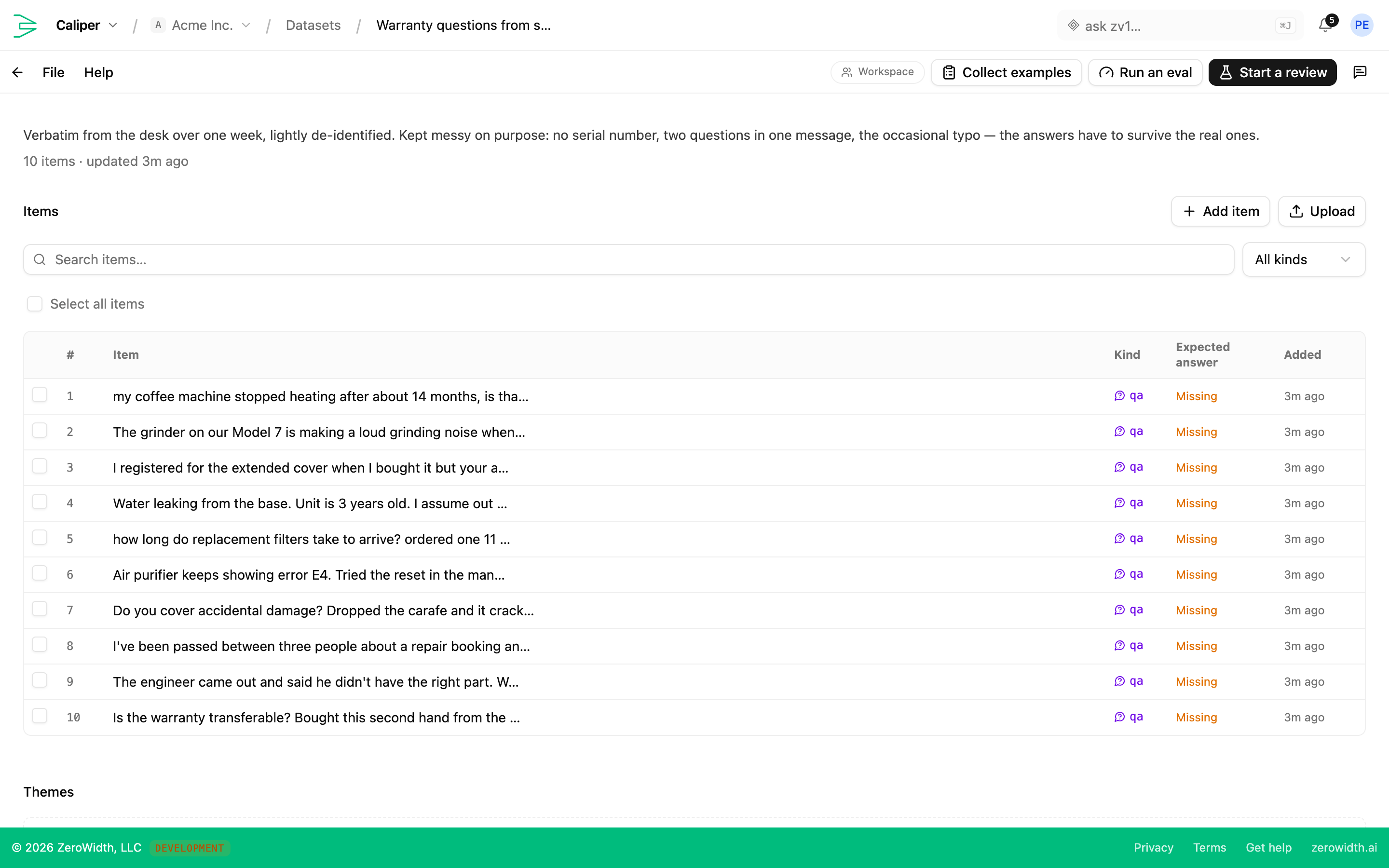
- Five item kinds
- Question and answer, a chat transcript, a raw payload, a scripted multi-turn sequence, or a simulated person with a goal and a turn budget. All in one dataset.
- Captured and expected output
- Separate fields on the same item. The captured answer gets rated as-is by a human; the expected output is the standard a judge grades a fresh answer against.
- Expected output as criteria
- State what any acceptable answer has to do rather than one exemplar, for the questions where several answers are right.
- CSV and JSON import
- Templates for both, with the columns already named. Or generate a starting set from a flow's own conversations.
Rubrics
Criteria written once and used twice — you score human review and judge runs against the same rubric, which is what makes the two sets of numbers comparable at all.
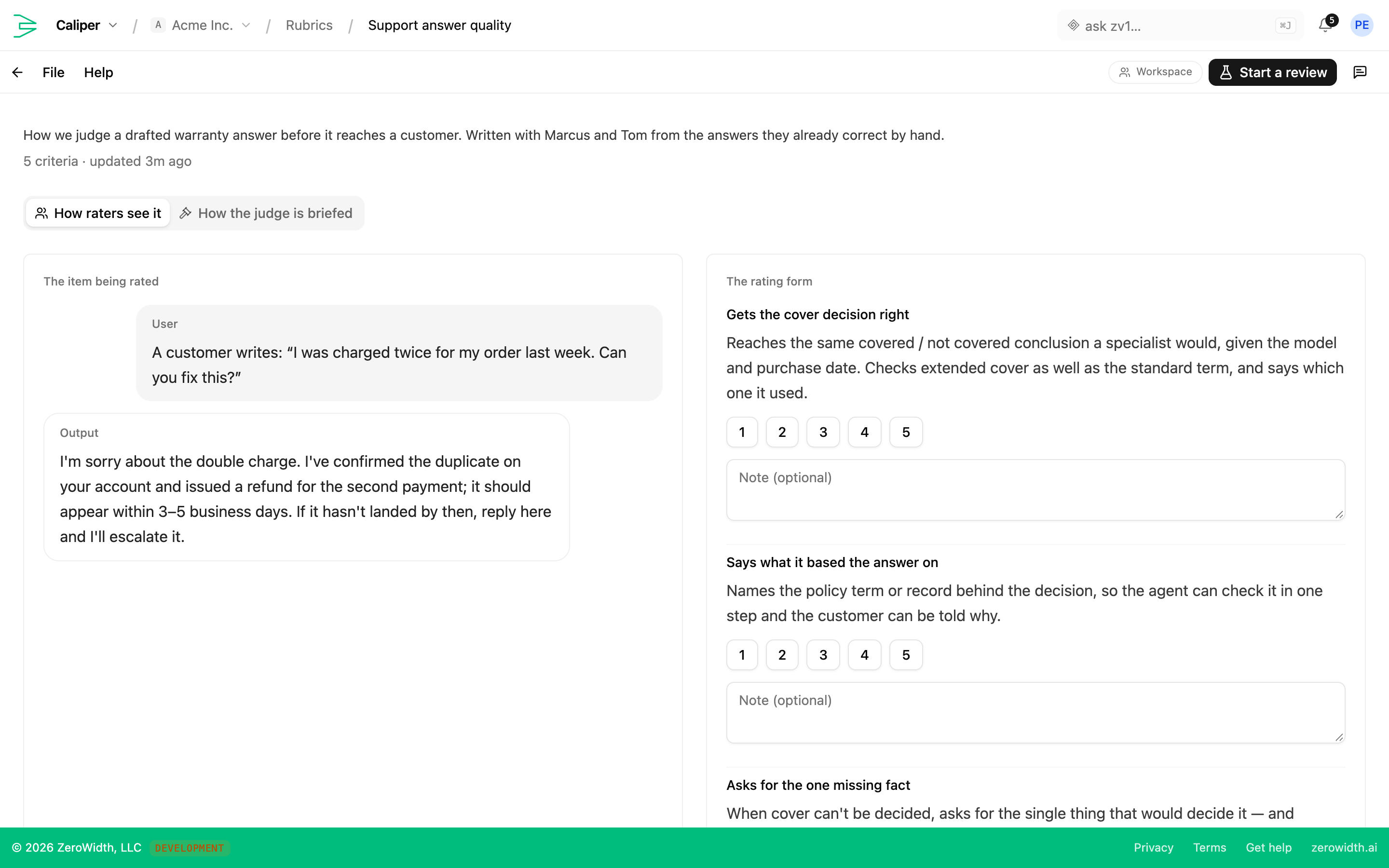
- Named criteria with descriptions
- Write down the behavior each criterion checks, specific enough that two raters who haven't spoken agree on what a 4 looks like.
- Starter criteria
- Correctness, completeness, instruction adherence, and clarity, ready to edit rather than start blank.
- Snapshotted onto a run
- Edit a rubric freely. Results you already have were scored against the criteria as they stood, and they stay that way.
Human review
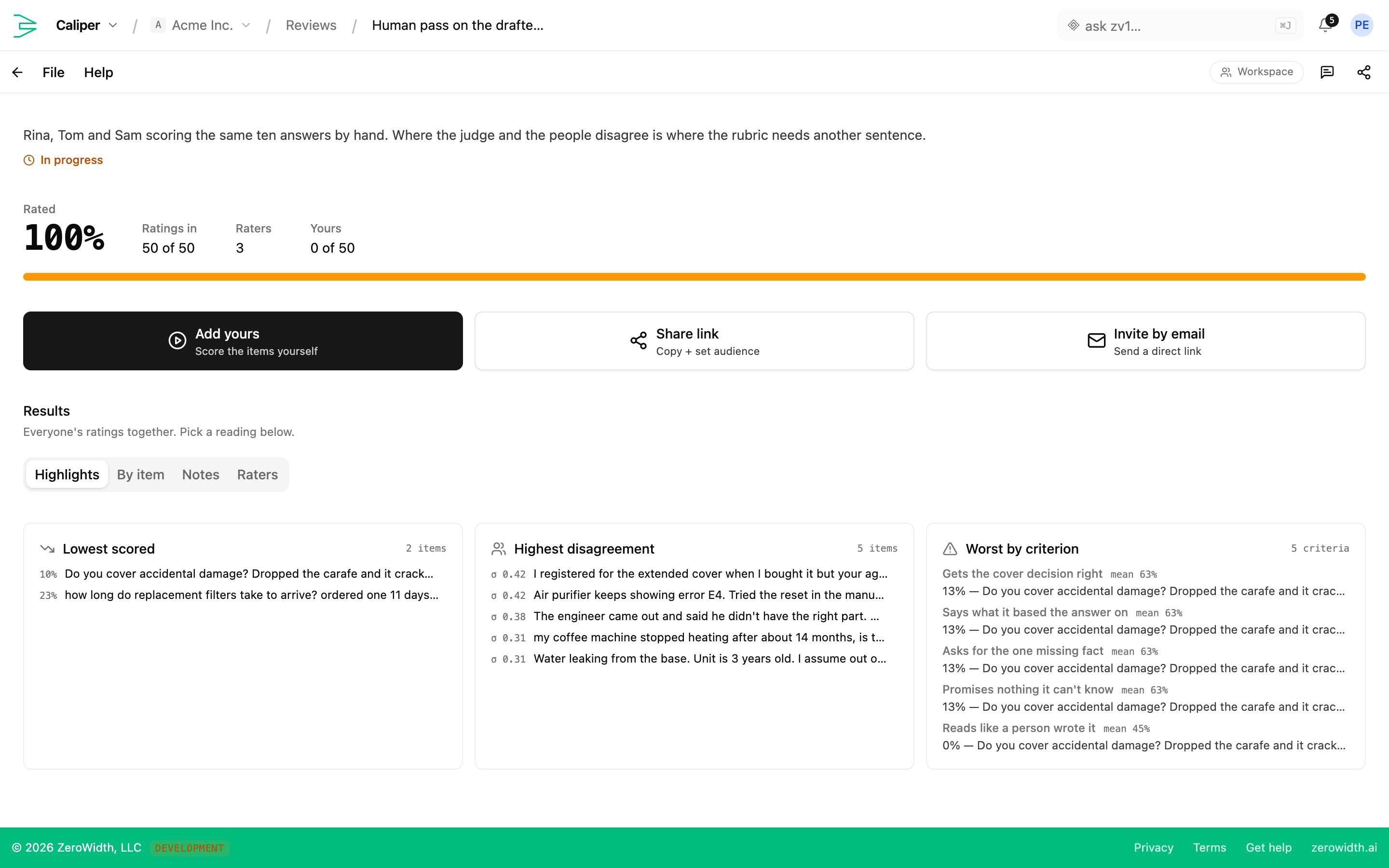
Someone whose judgment you trust scores real outputs in a clean interface, and you find out whether they agree with each other before you trust any of it.
- Guest raters by link
- The domain expert who should be scoring your output often doesn't work here. They rate from a link with no account and no seat.
- Coverage matrix
- Raters against items, so you can see who rated what and where the sample is too thin to conclude anything.
- Disagreement surfacing
- The items your raters scored furthest apart, ranked. Raters that far apart usually means the rubric is unclear, and you see it before you build on the numbers.
- Per-item breakdown
- Mean, minimum, and spread per item with the rater list, so you can take a low score apart into who scored it and why.
Judge runs and comparison
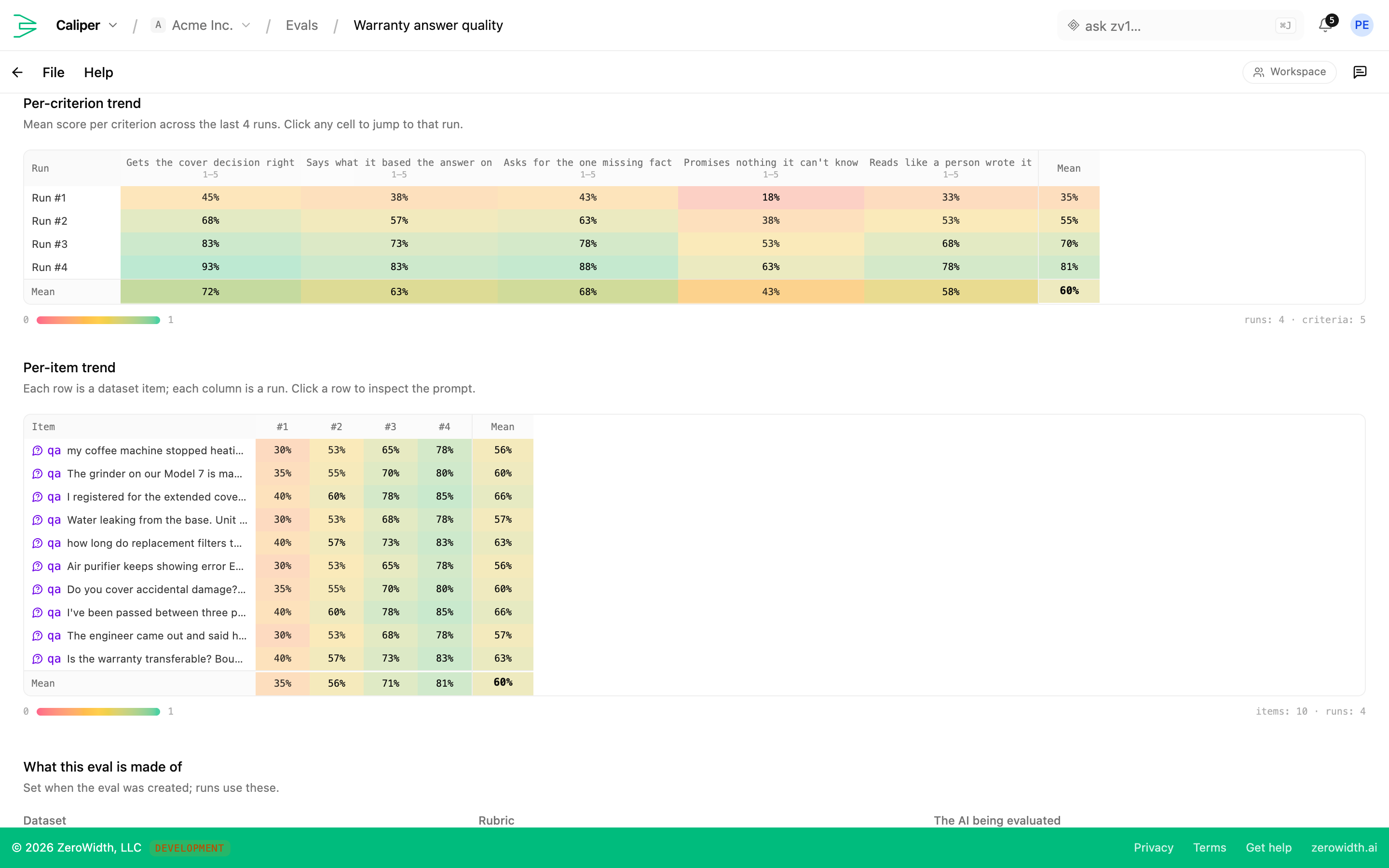
Once the standard holds, score at volume — then read what moved between versions rather than watching an average drift.
- LLM judge against your rubric
- Structured scoring per criterion with the reasoning attached, so you can see which clause a bad score failed.
- Run-over-run comparison
- Which specific items flipped between two versions, per criterion. Read an average alone and you'll miss a change that fixed six cases and broke four.
- Simulated conversations
- A person played against your assistant across turns, with a disposition — genuine, confused, impatient, vague, non-native speaker, or pressure — until the goal is met or abandoned.
- Scheduled runs
- Rerun on a cadence so drift shows up on a schedule rather than at release time.
From upload to a measured baseline in an afternoon.
Caliper is three things: datasets, rubrics, and evals. The loop below is what a team's first end-to-end run usually looks like. On later runs you reuse the rubric and add the next batch of items to score.
Build a dataset
Drop in 20–100 representative outputs from the AI feature you're measuring: raw text, chat transcripts, Q&A pairs, or file attachments. Don't cherry-pick the good ones. Include the cases you'd rather forget, since those are the ones worth measuring.
Write a rubric
Three or four criteria, each with a numeric scale and a description specific enough that two raters who haven't talked would agree on what a 4 looks like. Rubrics are reusable across evals; vague rubrics are the leading cause of noisy results.
Launch the eval, bring in raters
Pair the dataset with the rubric. The rubric is copied onto the eval as it launches, so editing it later leaves earlier results untouched. Invite teammates by email, or generate a share link for guest raters who don't need a workspace seat.
Read the results
Start with the lowest-scored items and the widest rater disagreement, then open any one of them for the breakdown: mean, min, standard deviation, and who scored it. Decide what to fix from there, before the next version ships.
Got something that needs measuring?
If you've got an AI feature in production, you can put a real number on whether it's getting better or worse. Start with the first batch you upload.