Workbench
Build the behavior: software your team can read and change.
Go from a working demo to something your product can depend on, and still be able to read and change it a year later. You can step through any run, swap model providers, and pin the version your product calls.
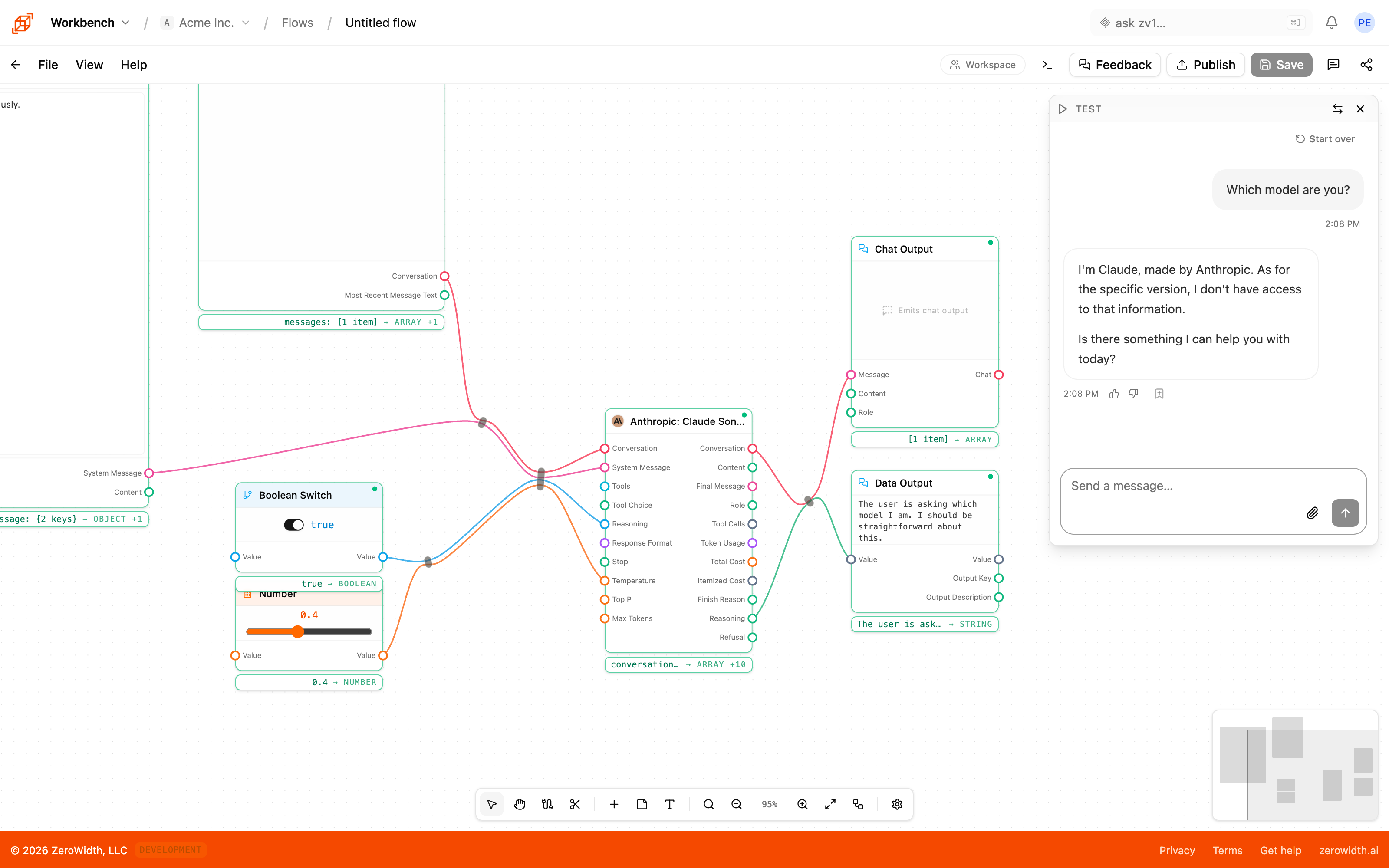
The pieces Workbench gives you.
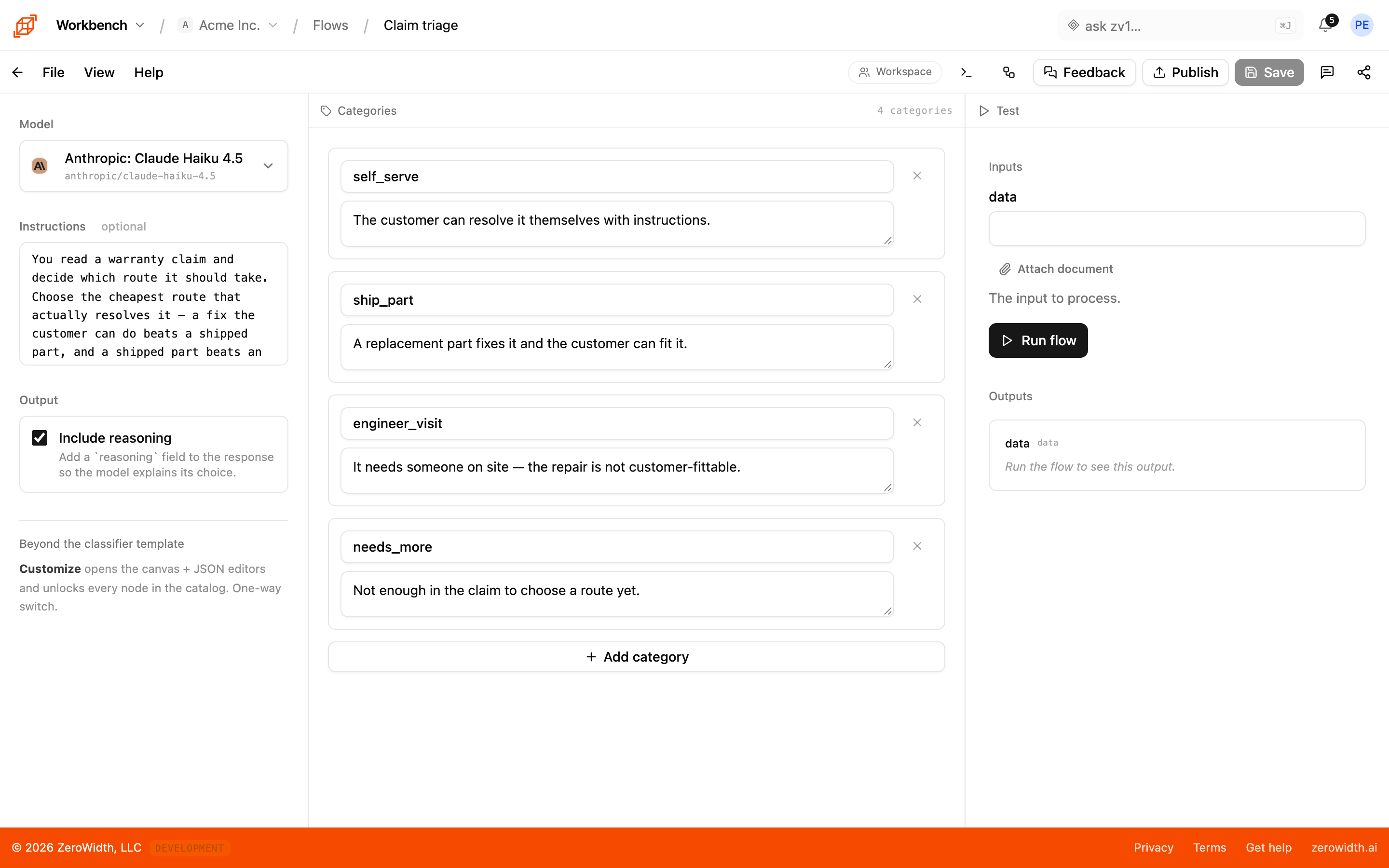
Build an agent and try it out as you go
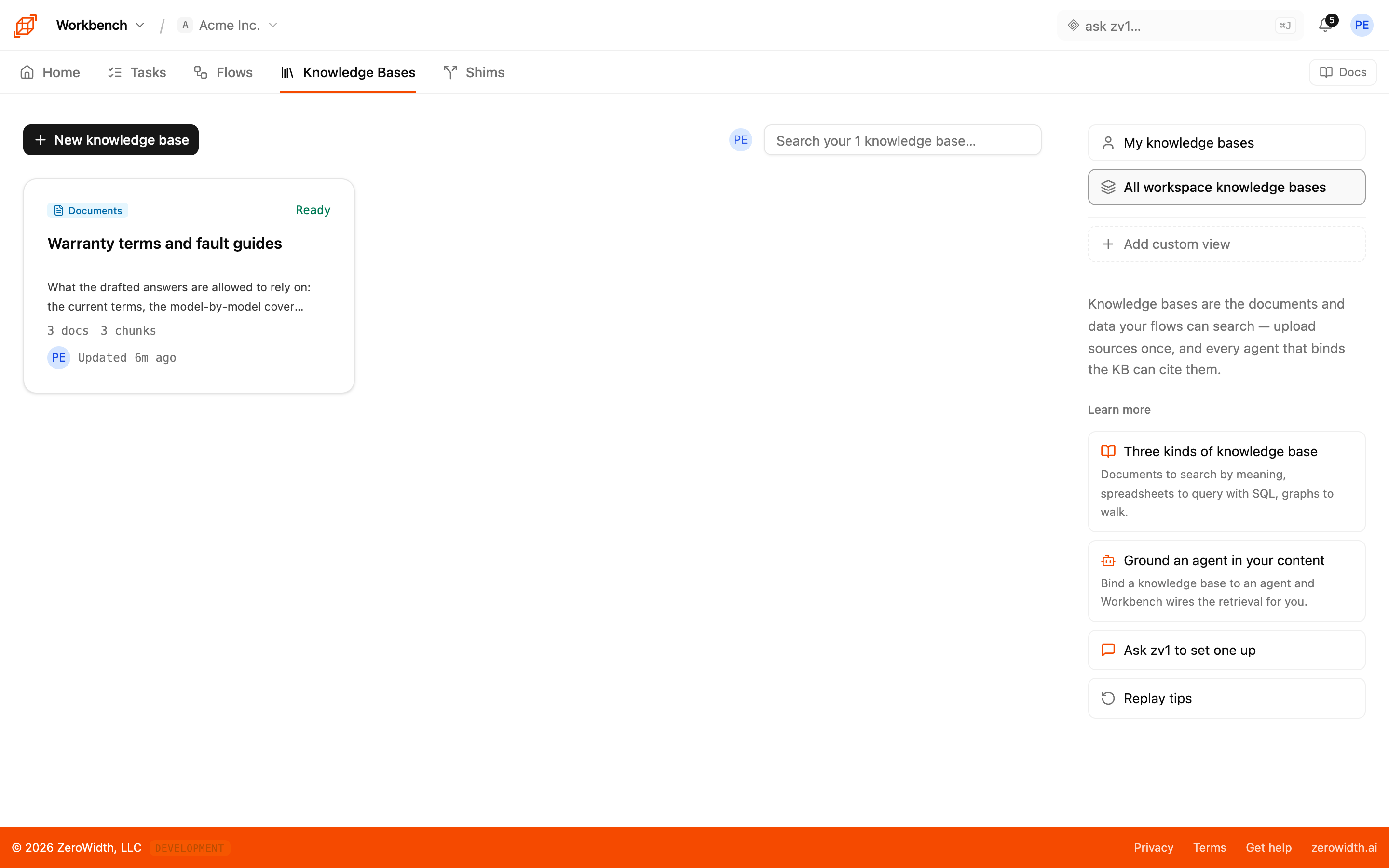
Give your agents answers from your own documents
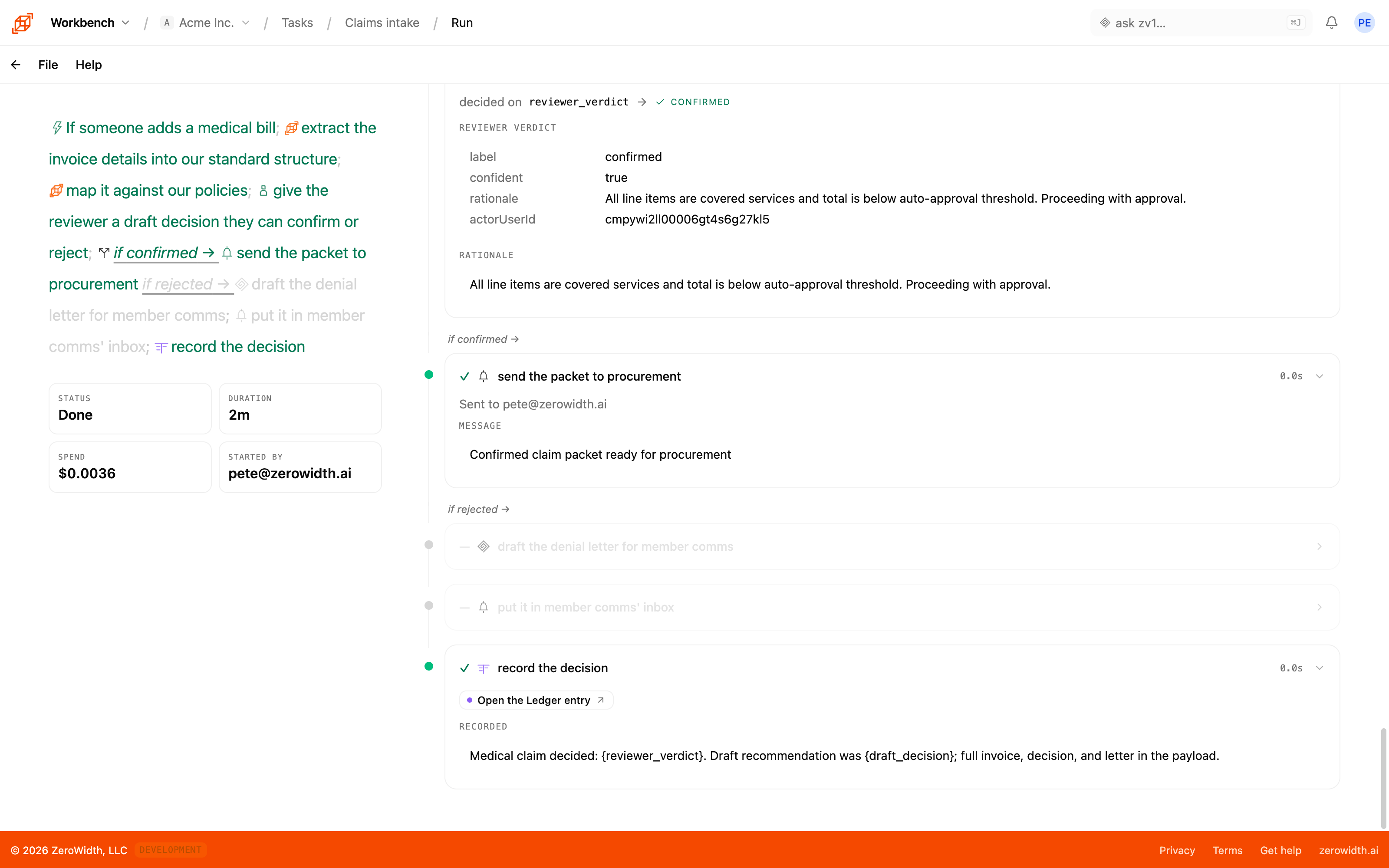
Run a multi-day process with people approving the steps that need them
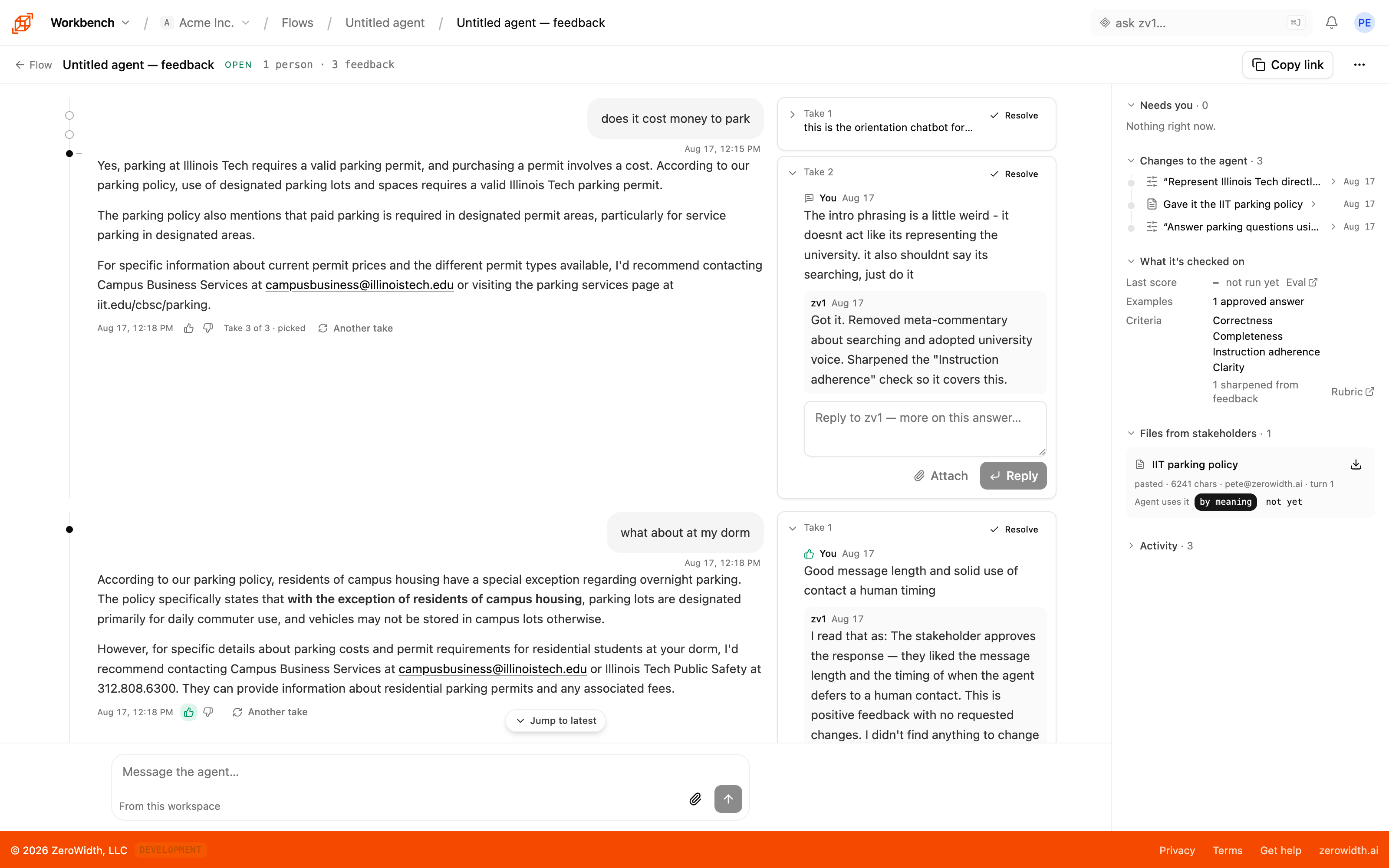
Let the people who'll use an agent give feedback that improves it on the spot and becomes tests for the next version
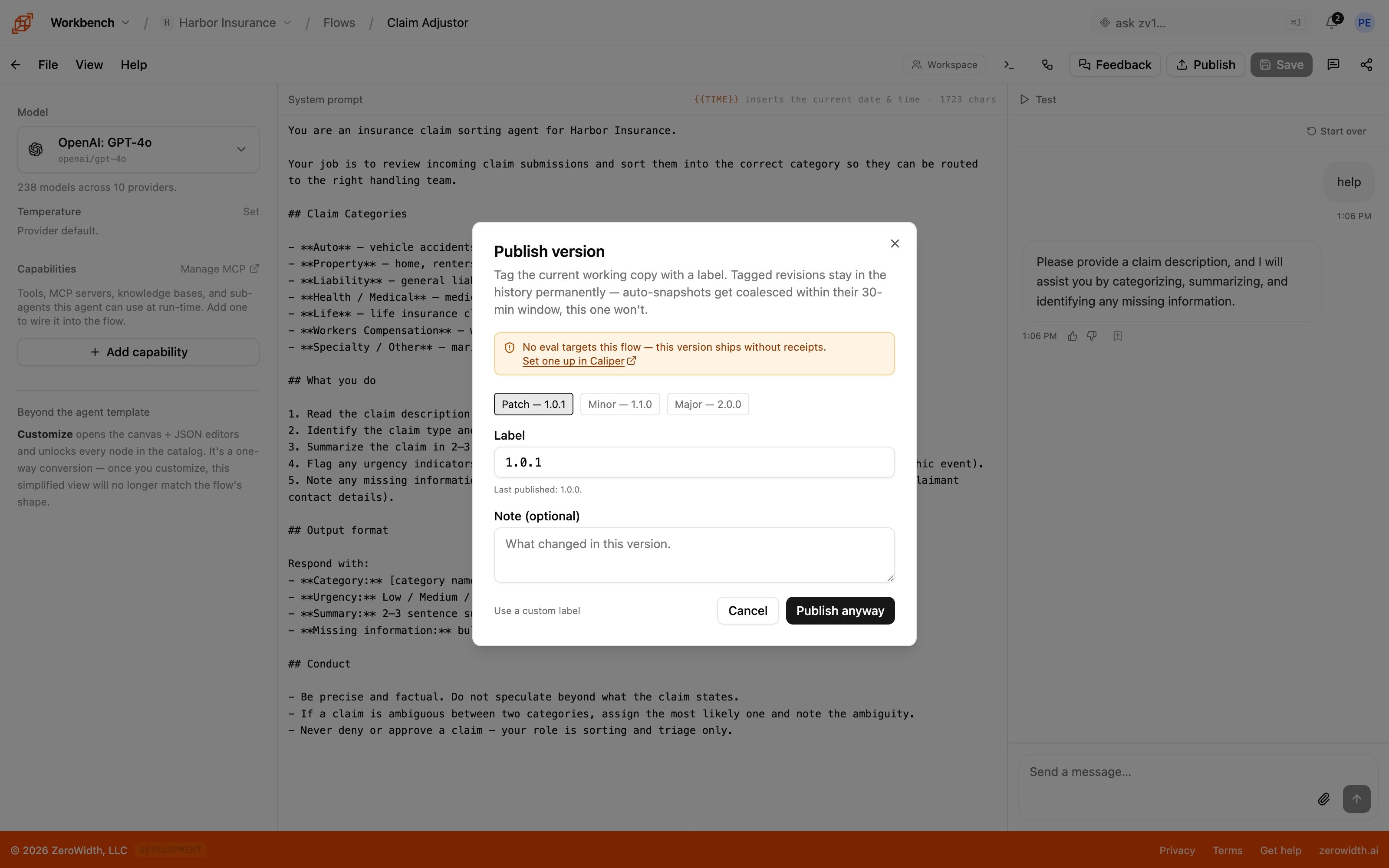
Put an agent into your own product and pin the version it runs
You can build an impressive demo in an afternoon and still have nothing anyone else on the team can pick up and change.
The canvas, knowledge bases, tasks, and shipping.
A canvas for designing behaviors, retrieval over your own material, tasks for the work that spans days and people, and the parts that make it survivable in production.
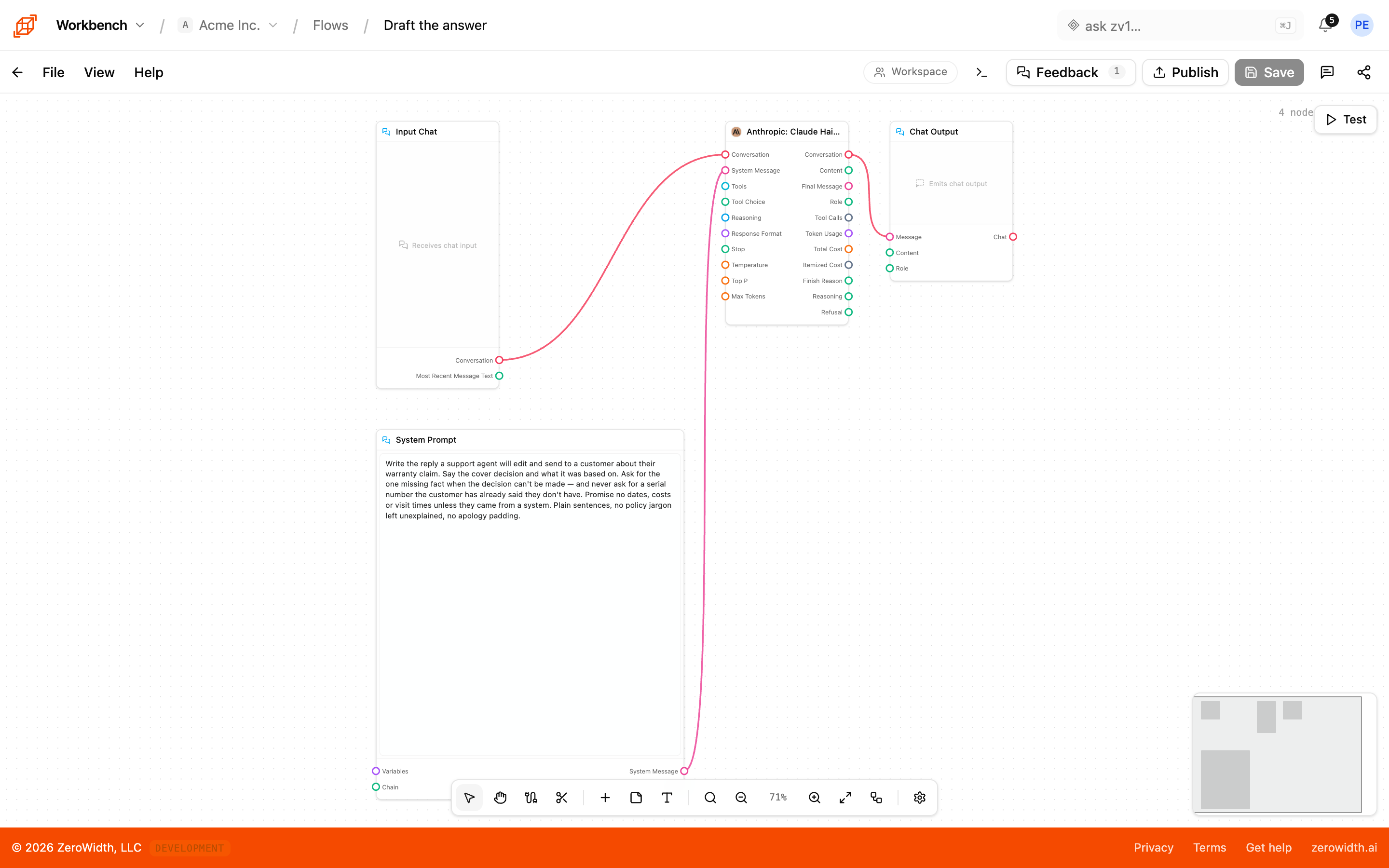
The canvas
Where a behavior gets designed. Nodes, connections, and a test pane beside them, so the thing you're building is running while you change it.
- Pattern editors
- Start from the shape of the job — an agent, a classifier with declared categories, a structurer with a response schema, an interviewer — rather than from a blank canvas.
- Custom mode
- Drop out of the patterns and wire nodes directly when the behavior doesn't fit one.
- Test as chat or as a form
- Try a conversational behavior in a chat pane and a field-shaped one as a form, matching how your product will actually call it.
- Subflow extraction
- Pull a section you've built twice into one piece you can call from both, without rebuilding either.
Knowledge bases
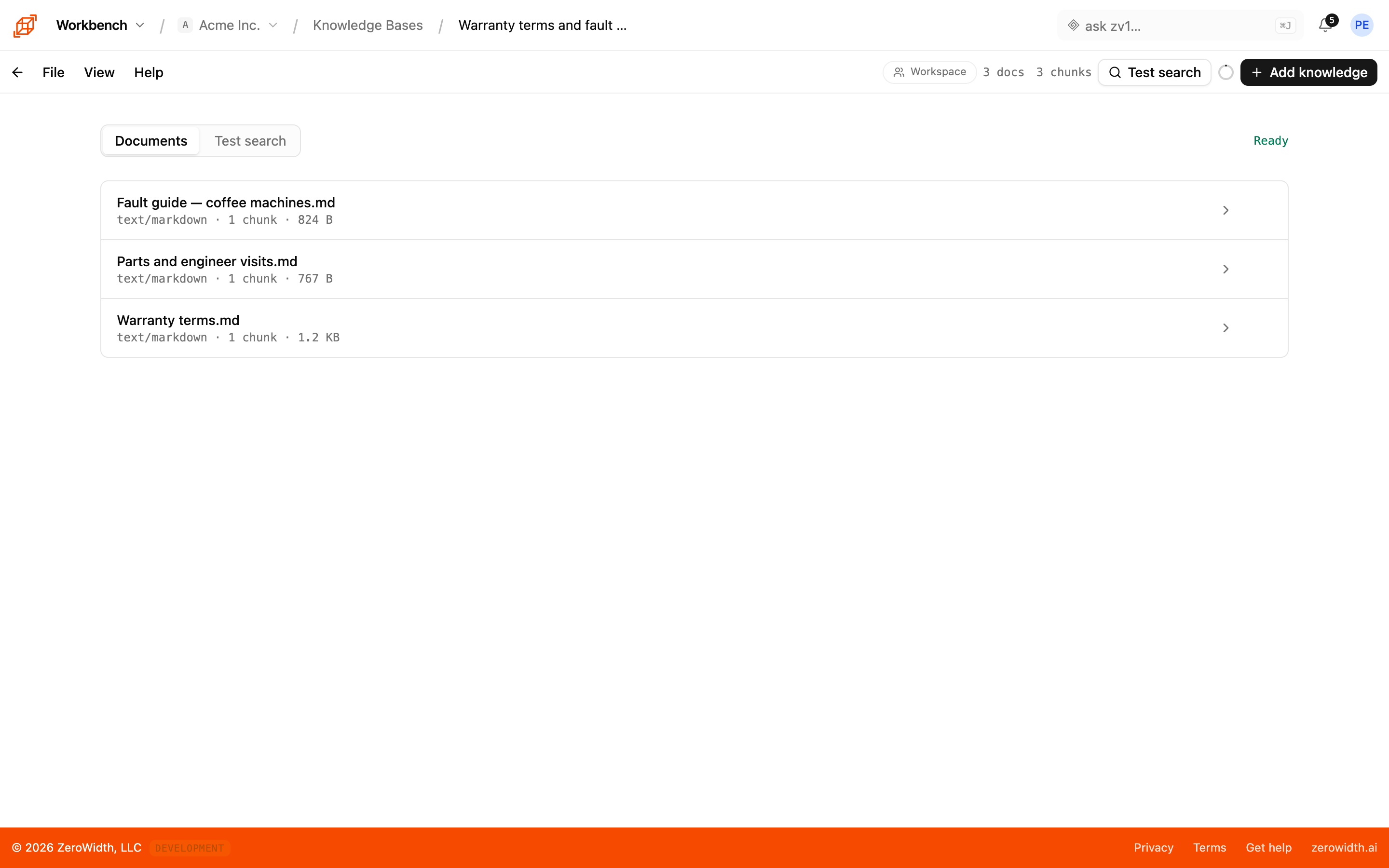
Private retrieval over your own material, so answers come from your documents instead of from whatever was in the model's training data.
- Ingestion settings per base
- Chunking strategy is a property of the source rather than something buried in a script, because chunking is where retrieval quality is won or lost.
- Queried at run time
- Query the base as a step in the flow, so retrieval shows up in the trace alongside everything else.
- Bound to a draft
- Put a definition a stakeholder gives you during review straight into the base, rather than into a prompt edit.
Tasks
Processes measured in days rather than seconds: multi-step, mixed-actor, with people in the middle. Described in plain sentences, compiled, and frozen as what executes.
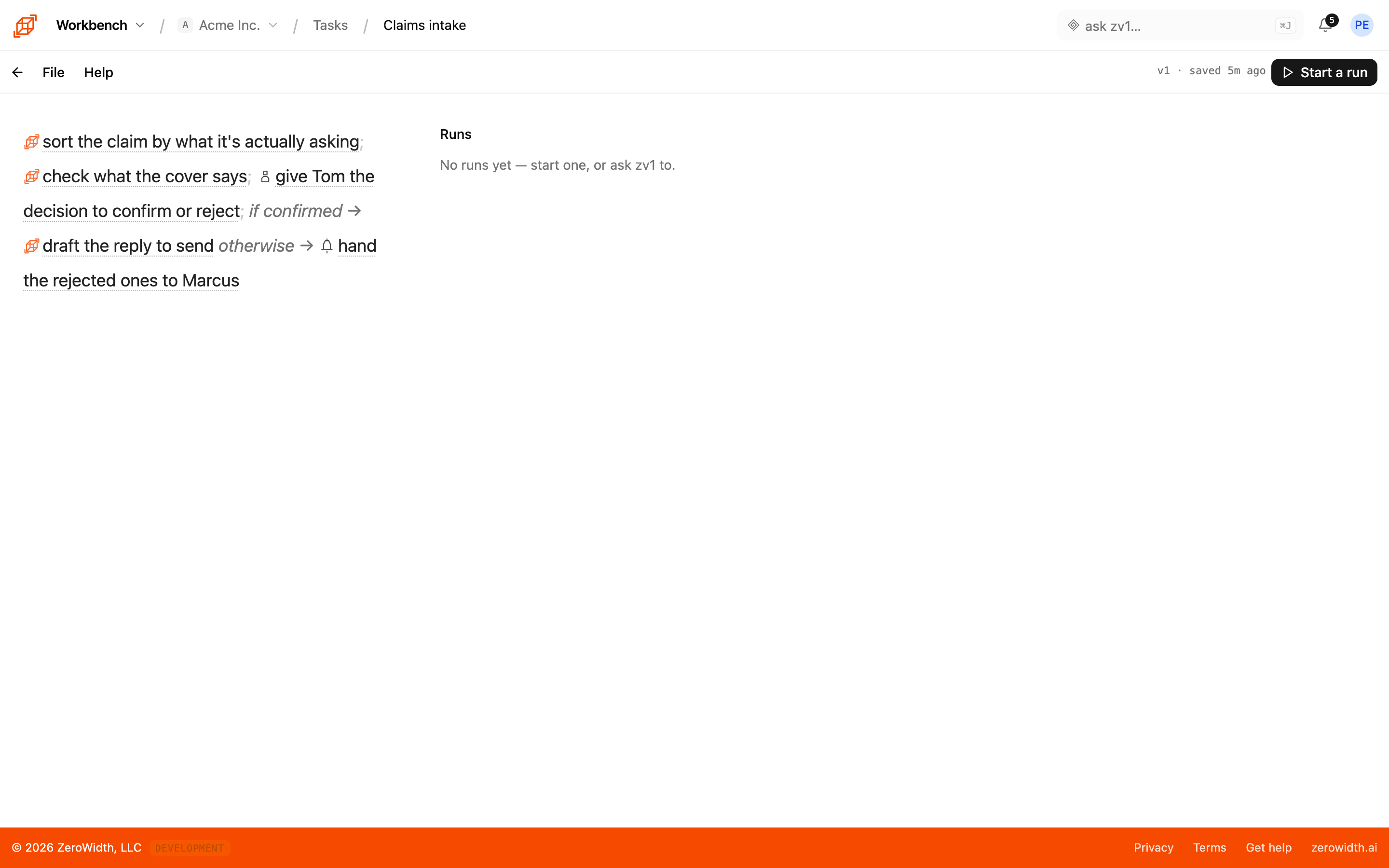
- Prose as the source
- Describe the process the way you'd brief a new hire. The compiled plan is what runs, and you confirm it before it does.
- Human gates
- A named person approves, is asked, or edits. You choose the verdict labels they pick from, a timeout in days, and who to escalate to when that lapses.
- Branches and loops
- Switch on a named value with an explicit fall-through for the uncertain case, and iterate over a list.
- Approval per step
- In a step that runs zv1 with tools, reads happen live and writes come back as proposals. Sign-off is the freeze itself, the task's creator, or whoever started the run.
- Schedules
- Run on a cadence rather than when somebody remembers to start it.
Ship and inspect
What separates a flow you demoed from one your product depends on: versions you can pin, runs you can read, and a way in from your own code.
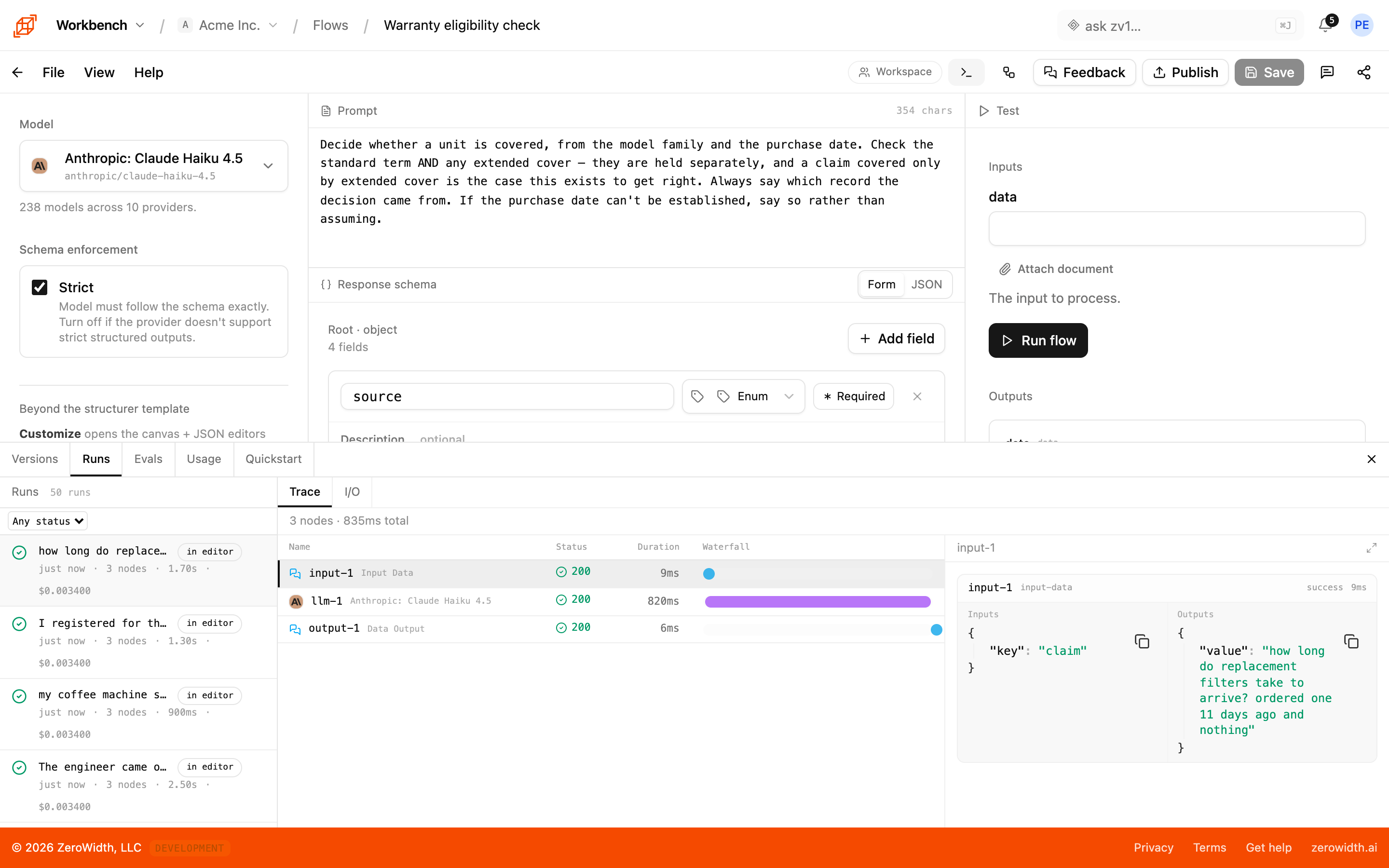
- Versioned revisions
- Publishing is a deliberate act. Pin a running step to a published version, and the previous one stays available.
- Run history
- Each step's input, output, and tool calls for a single request — so a bad answer is traced rather than argued about.
- Public API
- Call the behavior you designed from your own product with an API key.
- Design sessions
- Send a link, and stakeholders react to real answers on the draft. Their feedback routes by kind: a definition, a criterion, an expectation, or a change.
- Templates
- Publish something that works so another team starts from it instead of from a description of it.
From a demo that worked once to a workflow you can edit for years.
Workbench is built around the parts of shipping AI that get skipped between a notebook and production. The loop below is what we run when we're building production flows on ZeroWidth, for ourselves and for customers.
Compose the flow
Prompts, tools, and agents are named pieces you can point at. The shape of the flow is something a teammate can read; the prompt is something you can grep.
Step through it
When a multi-step flow misbehaves, you replay the step that broke with the inputs it actually saw. Step-through debugging works across agents, tools, and model calls.
Swap models without rewriting
Provider-agnostic. Swap Claude for GPT for Gemini at the flow level; A/B them; pin one to a step and free the others. Model lock-in stops being an architectural decision.
Ship with observability
Versioned releases, structured logs, replay-from-prod for any traced run. The flow that survived the demo is still editable a year later, by someone who wasn't there when you built it.
Got a prompt that almost works?
Workbench is what we built after a few too many production flows that nobody could edit six months later. If you've got a workflow AI could carry, come talk to us.