Prism
Explore an idea, then find out what people really think.
Branch an idea across a canvas until you can see the options around it, and ground what emerges in cited research. Then put it to real people and read what comes back as themes, with every response behind them.
The pieces Prism gives you.
Explore the options around an idea before you commit to one
Ask real people what they think without scheduling calls
Hear the reasons behind the answers that stand out
Read what people said grouped into themes, with every response attached
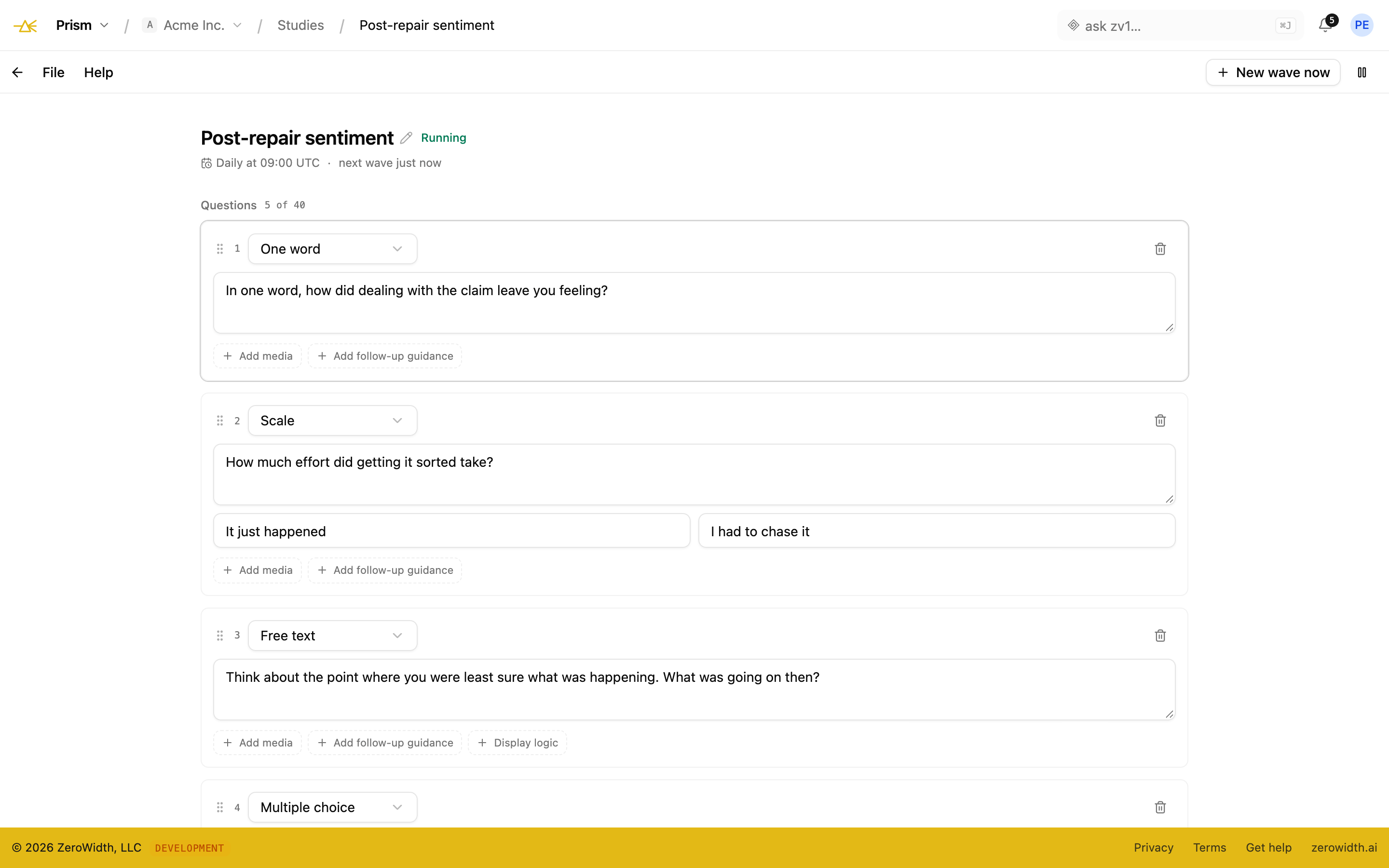
Watch how answers to the same question change over time
Most product decisions rest on the opinions of the four people who happened to be in the room.
The field, studies, analysis, and tracking.
Explore an idea space on a canvas, put it to real people in a study, read an analysis that survives being checked, and run the same instrument for years.
The field
An infinite canvas for exploring the space around an idea, rather than a document listing the three options somebody thought of in a meeting.
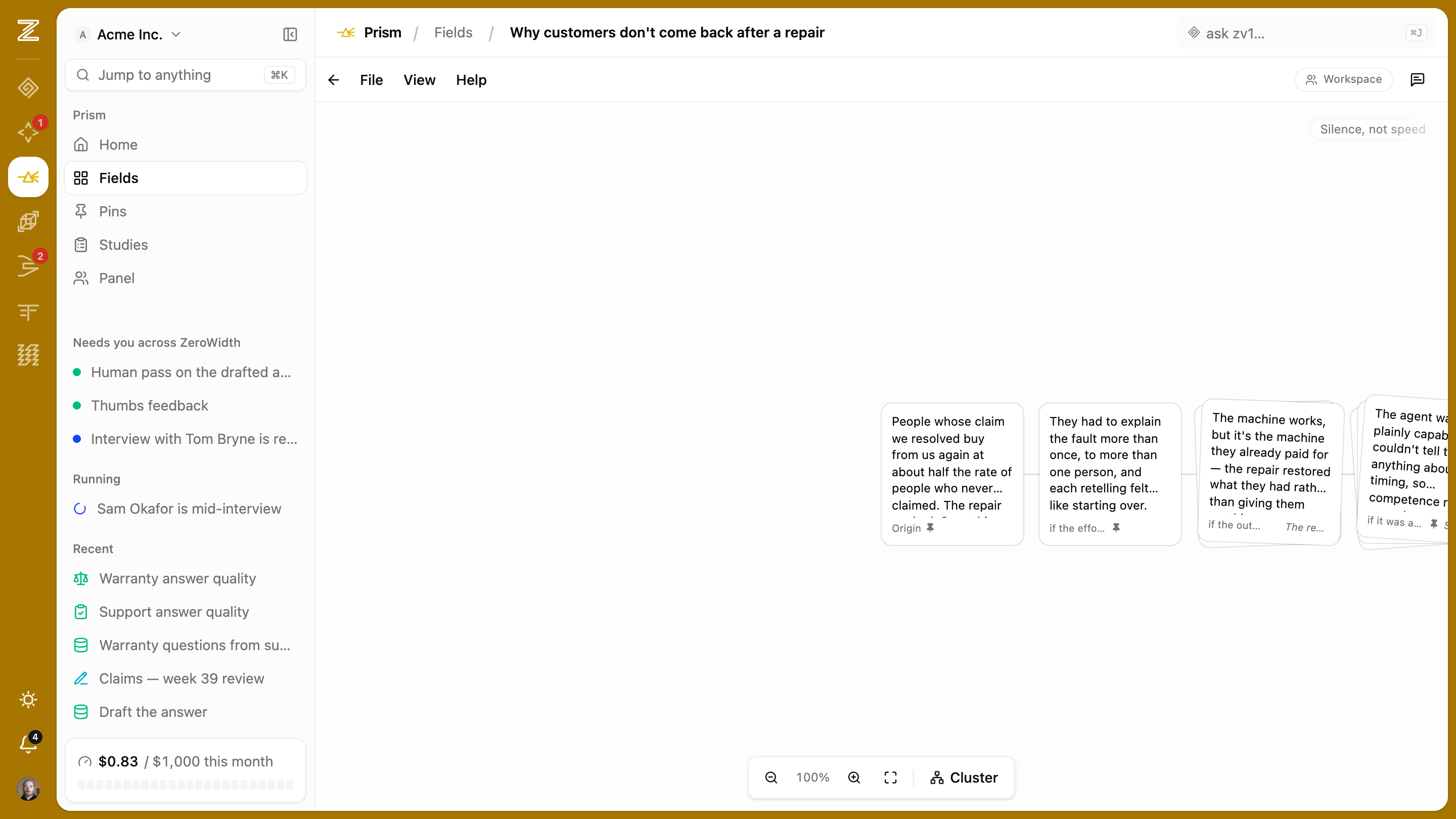
- Axes you define
- Name the dimensions that matter — audience, tone, price posture, level of ambition — and permute along them.
- Emergent grouping
- Structure comes out of what's on the canvas rather than from folders you decided on before you knew what you'd find.
- Pins
- Mark the ones worth keeping, so you come out of a session of divergence with a shortlist rather than a mess.
- Promote to a change
- An idea that survives goes to Compass as a proposed change, with a link back to where it came from.
Studies
Putting a question to real people. A study can hang off a node on the canvas or stand alone — asking about the business itself rather than about an idea.
- Guest responses by link
- No account, no seat. A participant id and a source tag can ride on the link, so one study fielded to three audiences can be cut by origin.
- Adaptive follow-ups
- When an answer stands out against the responses already in, one follow-up appears on the same screen referencing what they actually said.
- Quiet by default
- Most answers get nothing. No answer is probed until five responses are in, and no respondent sees more than two follow-ups.
- Disclosed up front
- Respondents are told an AI may ask a follow-up before they answer the first question — which the research codes require and which respondents accept.
Analysis
Turning a few hundred answers into something somebody can act on, without reading every row or pulling quotes to support what you already thought.
- Themes with evidence attached
- Each grouping opens onto the actual responses behind it, so you can check whether it holds rather than trusting a label.
- Follow-ups in the same analysis
- Follow-up answers sit in the themes alongside the base answers, which is where the specific reasons usually live.
- Cut by source
- Compare how one audience answered against another when the same instrument went to both.
- Reports
- Findings leave in a shape a colleague can read.
Tracking over time
The same instrument, fielded on a cadence, with the wording frozen — because changing a tracked question ends the comparison to every wave before it.
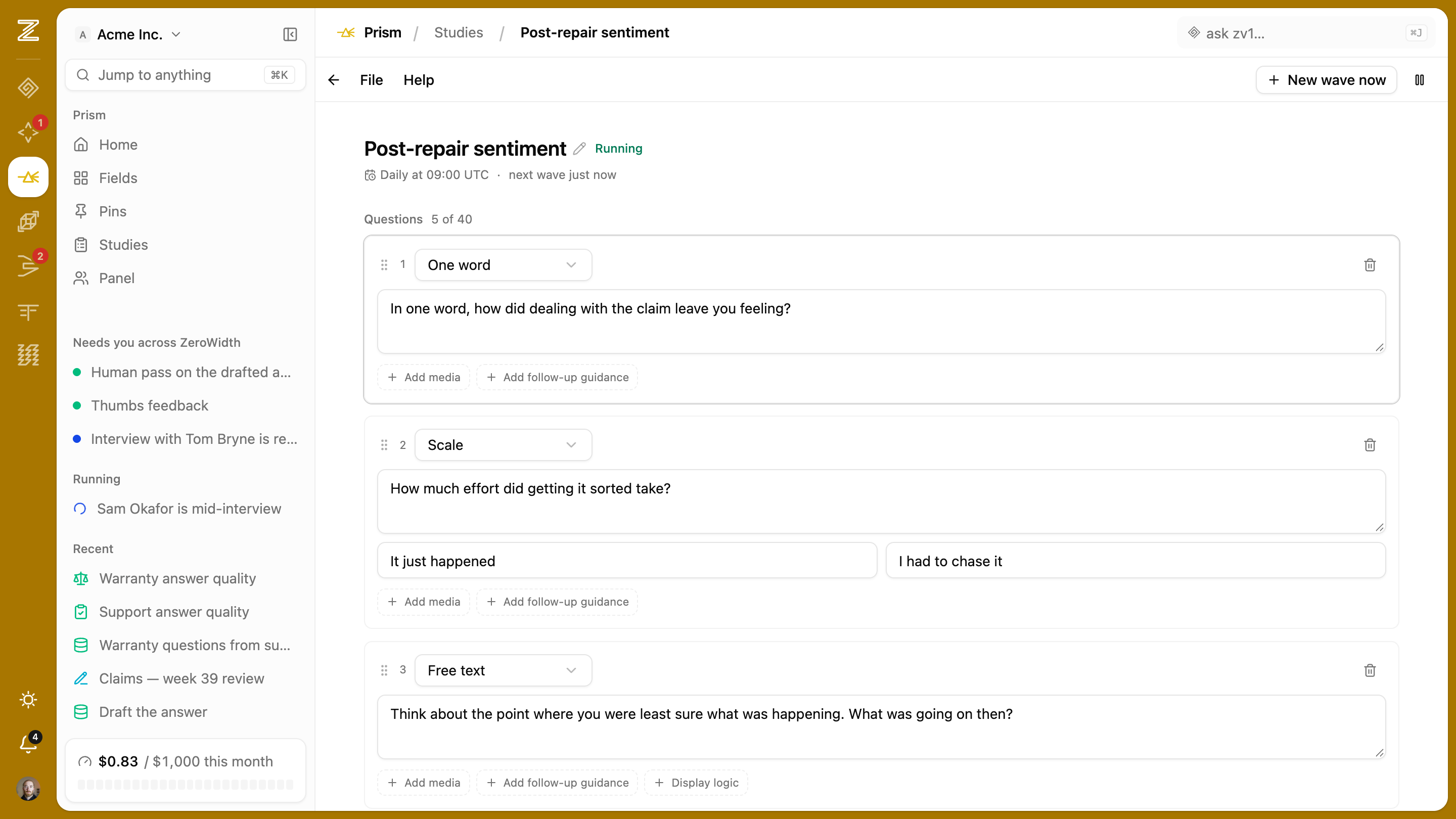
- Series and waves
- Each wave is an ordinary study stamped with its number, so analysis, themes, and share links all work unchanged.
- Instruments lock on fielding
- Once a wave has gone out its questions are fixed. Change the instrument and you start a new series, which is what keeps a trendline honest.
- A score declared in advance
- The scoring rule is part of the instrument, frozen before fielding. No adding a scorer to a fielded wave and backfilling.
- Posts to Ledger
- A wave's score lands as a metric reading, so sentiment sits on the same chart as the decisions that claimed to move it. Below the minimum number of completes, nothing is posted rather than a zero.
- Your own panel
- Field to a standing group of your own participants rather than re-recruiting every wave.
Ask. Field. Read. Keep.
Prism is one loop: turn a question into a study, put it in front of real people, read what they tell you, and keep what's true. After every pass the next question is sharper.
Start with a question
A hunch, a concept, a decision you can't make on gut alone. Explore it on an infinite canvas: branch it along any axis, cluster what emerges, ground it in cited desk research. Or skip the canvas and describe the study you need.
Shape the instrument
Build the study with the full kit: scales, choice, ranking, MaxDiff, matrices, screeners, demographics, display logic. Or run a few AI-led interviews first and draft the survey from what people actually said.
Take it to real people
Share a link, field it to your own audience, or recruit a panel. Follow-up questions go deeper wherever an answer is interesting, and you set quotas and weighting so the sample is one you can defend.
Read what comes back
Themes with the verbatims behind them, discovered segments, significance-tested cuts, a printable report. The numbers are computed from the responses, and you can ask zv1 for the brief instead of opening a dashboard.
Keep what's true
Promote a finding into Ledger and it becomes something the business remembers. Set it as a recurring tracker and a reading lands with every wave. Your next question starts half-drafted from what this one turned up.
Got a question worth asking real people?
Turn a hunch into a study, put it to real people, and keep what comes back where the business can find it. Part of every ZeroWidth workspace.